






If you are in a hurry – here is a TL;DR & Summary of main key points
- Unified endpoint management (UEM) platforms help IT teams monitor, secure, patch, and manage desktops, laptops, servers, smartphones, tablets, cloud workloads, and IoT devices from a single console.
- The best UEM platforms in 2026 include Action1, Microsoft Intune, ManageEngine Endpoint Central, Omnissa Workspace ONE, Ivanti Neurons, Hexnode, Jamf Pro, HCL BigFix, SOTI ONE, and NinjaOne.
- Modern cloud-native UEM platforms automate patch management, vulnerability remediation, software deployment, scripting, compliance reporting, and endpoint provisioning without requiring VPNs or on-premises infrastructure.
- Choosing the right UEM platform depends on your operating systems, endpoint types, security requirements, automation needs, compliance obligations, and whether you manage remote or hybrid environments.
- Action1 stands out for autonomous patching, cross-platform support, real-time vulnerability management, advanced reporting, and a fully featured free tier for up to 200 endpoints.
Unified endpoint management platforms let you control all the endpoints across your organization from a single console, whether those are desktops, laptops, smartphones, tablets, servers, cloud workloads, or virtual machines. Something that was pretty much impossible when you had separate tools for patching, monitoring, remote access, and everything else.
In theory, implementing the right UEM software must solve all your pain points and automate time-consuming routine tasks like asset management, patch and vulnerability management, software deployment, scripting, reporting, and more. In practice, though, that’s only possible when you pick the right platform for your specific environment, and that’s exactly what this article is here to help you do. Not just find a platform that looks good on paper, but one that actually delivers in the real world, in your environment, with your endpoints, your team, and your specific pain points.
We’ll compare the best unified endpoint management software on the market in 2026, including Action1, Microsoft Intune, ManageEngine Endpoint Central, Omnissa Workspace ONE UEM, Ivanti Neurons for UEM, Hexnode UEM, Jamf Pro, HCL BigFix, SOTI ONE, and NinjaOne. We’ll cover what each one is, how it works, what it delivers, and explore its key features, pros, cons, ratings, and pricing model. We’ll also point out which platform fits best in different environments and answer the other important questions you might have along the way.
Quick Comparison Table of the Best UEM Software
Here’s a quick comparison table of all 10 platforms to give you a high-level view before we get into the details of each one.
| Platform | Core Focus | Best For | Supported OS |
Deployment/ Architecture |
Free Tier/Free Trial |
|---|---|---|---|---|---|
| Action1 | Autonomous patch management and unified endpoint management. | SMBs, MSPs, enterprises, government agencies, and regulated industries. | Windows, macOS, Linux. | Cloud-native. No VPN or hardware required. | Yes. Free forever for up to 200 endpoints, fully featured. No credit card required. |
| Microsoft Intune | MDM, MAM, and identity-driven endpoint security. | Organizations already running Microsoft 365 that need tight control over corporate and personal devices. | Windows, macOS, Linux, iOS, iPadOS, Android, ChromeOS. | Cloud-based SaaS. | No permanent free tier. Included in M365 E3, E5, and Business Premium. 30-day trial available. |
| ManageEngine Endpoint Central | Unified endpoint management and security. | SMBs, MSPs, large enterprises. | Windows, macOS, Linux, iOS, iPadOS, Android, ChromeOS | Cloud-based and on-premises. | Yes. Free forever for up to 25 desktops and 25 mobile devices, with limited functionality. |
| Omnissa Workspace ONE UEM | Digital workspace platform combining UEM, identity, and app delivery.. | Large enterprises and MSPs. | Windows, macOS, Linux, iOS, iPadOS, Android, ChromeOS. | Cloud-native SaaS. | No permanent free tier. 30-day free trial available. |
| Ivanti Neurons for UEM | AI-driven UEM with self-healing endpoint automation and ITSM integration | Mid-to-large enterprises and MSPs. | Windows, macOS, iOS, Android, IoT and rugged devices. | Cloud-based. | No permanent free tier. Free trial available only. |
| Hexnode UEM | Unified endpoint management across the widest OS range. | Large enterprises and MSPs. | Windows, macOS, Linux, iOS, iPadOS, Android, ChromeOS, tvOS, Fire OS. | Cloud-based. | No permanent free tier. 14-day free trial available. |
| Jamf Pro | Apple-exclusive device management and security. | SMBs and enterprises running entirely on Apple hardware across iOS and iPadOS. | macOS, iOS, iPadOS, tvOS. | Cloud-native. | No permanent free tier. 14-day free trial available. |
| HCL BigFix | Enterprise-scale UEM and automation with AI-driven remediation. | Large enterprises. | Windows, macOS, Linux, Unix, iOS, Android, and 100+ OS variants. | On-premises, cloud, and hybrid (BigFix SaaS). | No permanent free tier. 30-day free trial available only. |
| SOTI ONE | Business-critical mobility and UEM for operational technology environments. | Organizations running mission-critical mobile and rugged device deployments in field operations, logistics, and manufacturing. | Windows, macOS, iOS, Android, rugged and IoT devices. | Cloud-based and on-premises. | No free tier. Only 30-day free trial available (up to 25 endpoints). |
| NinjaOne | RMM, patch management, MDM, and backup. | MSPs, large enterprises and government agencies. | Windows, macOS, Linux, iOS, iPadOS, Android. | Cloud-native. | No free tier. Only 14-day free trial available. |
What is Unified Endpoint Management Software?
UEM (unified endpoint management) software enables IT and security teams to discover, monitor, manage, and secure laptops, desktops, smartphones, tablets, servers, cloud workloads, and IoT devices from a single platform, regardless of their OS or location.
These platforms are called “unified” because they bring all of that into one place, letting you automate asset identification, device provisioning, patch and vulnerability management, software deployment and uninstallation, security policy enforcement, real-time monitoring, audit-ready report generation, scripting, and device locking or wiping.
In short, UEM platforms help you take complete control over each endpoint remotely, as long as it has an internet connection, and ensure it stays under your corporate policy’s management and protection. Cloud-native platforms manage Windows, macOS, Linux, Android, iOS, and iPadOS devices from anywhere without requiring a VPN or local infrastructure. On-premises platforms depend on internal infrastructure and manage endpoints connected to the corporate network directly or through a VPN.
Regardless of which deployment type fits your environment, with just a few clicks you can create various automations and schedule their execution for a convenient time, to strengthen each device’s security posture, minimize its attack surface, protect sensitive data, and stay audit-ready. The platforms that actually deliver on that promise are the ones that run without infrastructure dependencies, deploy in minutes, and let one administrator do the work that used to take a whole team.
The Best Unified Endpoint Management Software
The best unified endpoint management software on the market includes Action1, Microsoft Intune, ManageEngine Endpoint Central, Omnissa Workspace ONE UEM, Ivanti Neurons for UEM, Hexnode UEM, Jamf, HCL BigFix, SOTI ONE, and NinjaOne.
These vendors, while falling into the same UEM category, are not the same on the inside. They have their similarities, but they come with different features, pros, and cons, and that’s exactly what we’re going to cover. Below you’ll find a detailed review of each platform so you can make up your mind, see which one fits your environment, and which one doesn’t.
Action1 Unified Endpoint Management
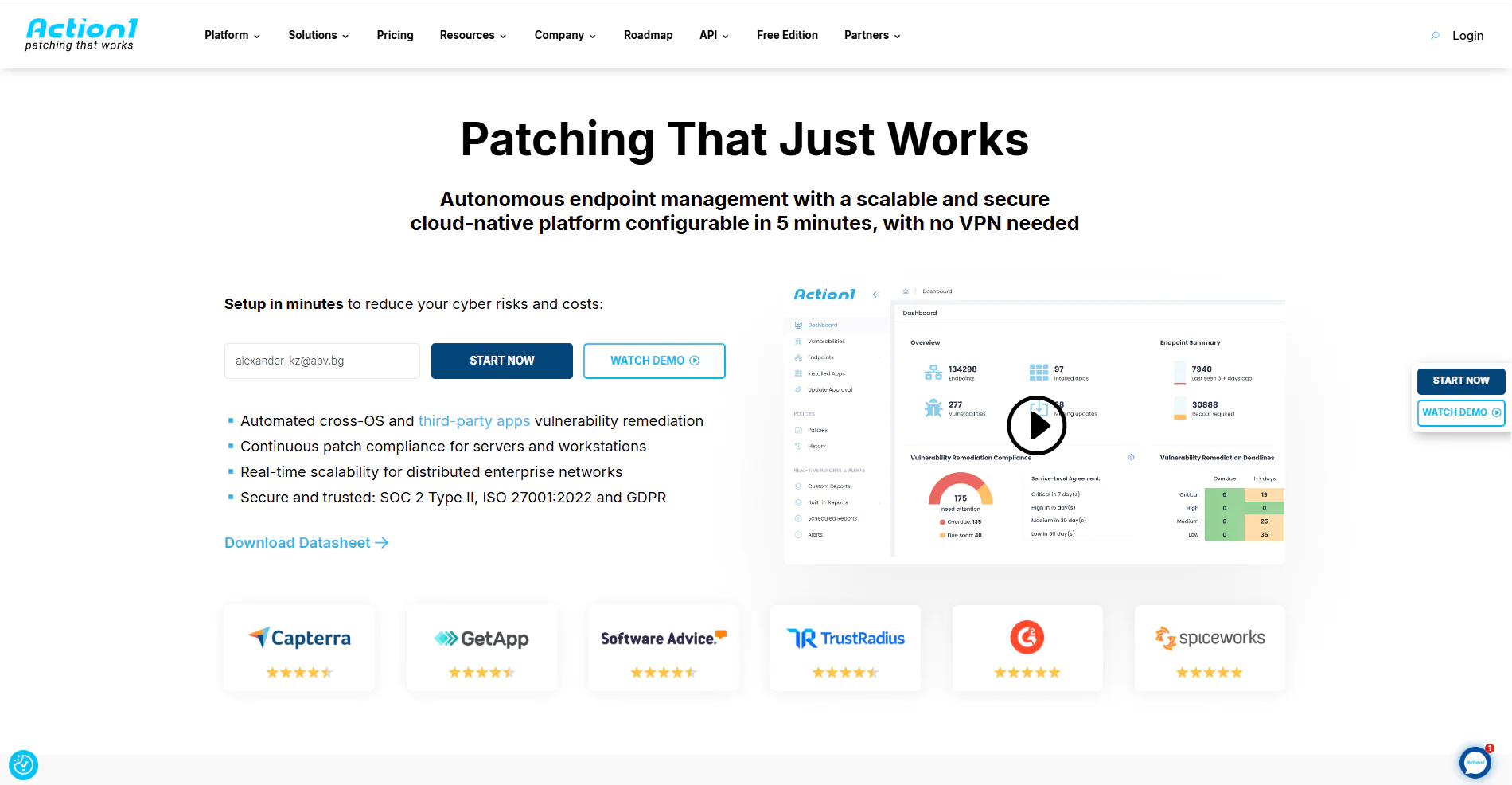
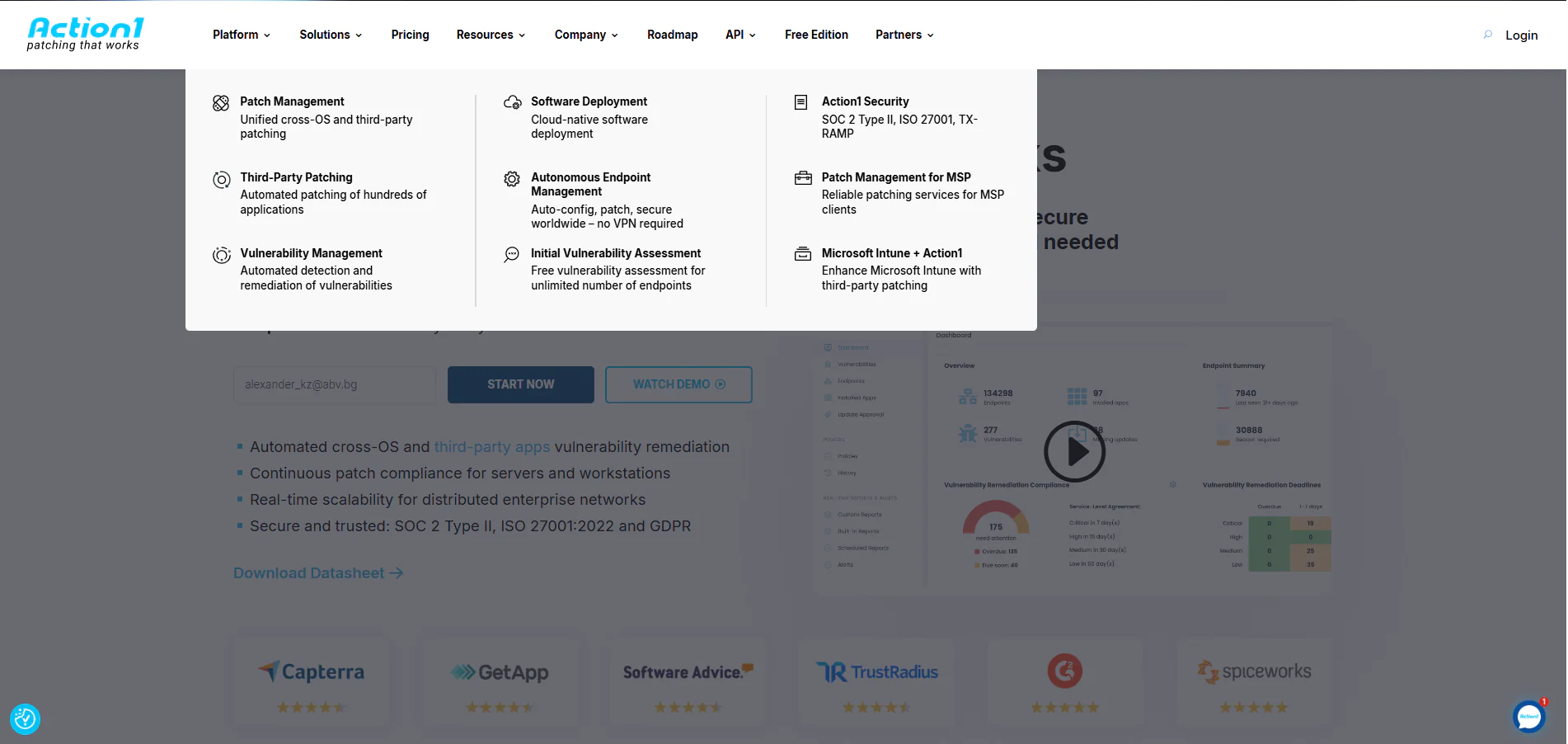
Action1 is a cloud-native autonomous unified endpoint management platform. It supports Windows, macOS, and Linux, and automates OS and third-party patch and vulnerability management, software deployment and uninstallation, security policy enforcement, scripting, real-time monitoring, and report generation.
From a single intuitive interface, you can easily automate different routine tasks while keeping full control in your hands. You decide when patch deployments, script executions, reboots, and other endpoint management tasks happen, in order to minimize operational disruptions and manual burden while maximizing security and efficiency.
It’s also the only platform on this list offering a permanent free tier for up to 200 endpoints, fully featured, forever, with a setup that takes about five minutes and requires no VPN, no hardware, and no lengthy configuration before it starts protecting your endpoints.
Key Features of Action1 Unified Endpoint Management
- Unified Endpoint Management – Works equally well across desktops, laptops, servers, virtual machines (VMs), and cloud workloads.
- Cross-Platform OS Support – Windows, macOS, and Linux.
- Autonomous OS and Third-Party Patch Management – Missing patch identification, testing, and deployment happens autonomously through update rings. Once automation is set and rings are created, only stable patches progress from one ring to the next, while problematic ones don’t.
- Risk-Based Patch Management – Prioritize and apply software patches and updates based on the level of risk they pose to your organization’s IT infrastructure and critical assets.
- Vulnerability Management – Real-time identification with built-in remediation capabilities.
- Policy-Based Patch Management – You define the patching rules, controlling which updates get deployed to which endpoints, when they run, how they are tested, and whether each endpoint reboots immediately after deployment or at a more convenient time.
- Remote Access – Securely access and troubleshoot remote endpoints directly from your browser without requiring a VPN.
- Offline Catchup Window – If an endpoint is offline during a scheduled patch deployment, it’ll get patched automatically once it comes back online, with no additional actions needed on your part.
- IT Asset Inventory – Real-time visibility into the hardware details and online/offline status of your endpoints.
- Software Deployment – Streamlined deployment of prepackaged and custom applications.
- Software Uninstall – Bulk uninstallation of unauthorized or legacy software.
- Scripting Automation – Built-in scripts and support for custom PowerShell, CMD, or Bash scripting.
- Real-Time Reporting – 100+ built-in report templates with customization options.
- Role-Based Access Control (RBAC) – Granular levels of access for user accounts, ensuring sensitive data and critical systems are only accessible to the people who actually need them.
- Single Sign-On (SSO) – Gives your employees seamless access to the platform through their existing identity provider, supporting Entra ID (Azure AD), Okta, Google, or Duo.
- P2P Patch Distribution – Updates are downloaded only once and then shared internally across your local network, preserving network performance by minimizing external bandwidth consumption and speeding up deployments.
- Private Software Repository – Each patch and update is thoroughly tested by Action1’s expert team, ensuring only reliable and secure files reach your endpoints.
- Real-Time Vulnerability Data – Provides CVE numbers, CVSS scores, and exploitation indicators to support real-time patching decisions.
- Custom Endpoint Attributes – Examples include attributes based on registry keys, installed or missing software, machine type such as VM, physical, laptop, or server, BitLocker status, free disk space, environment variables, BIOS version, and more.
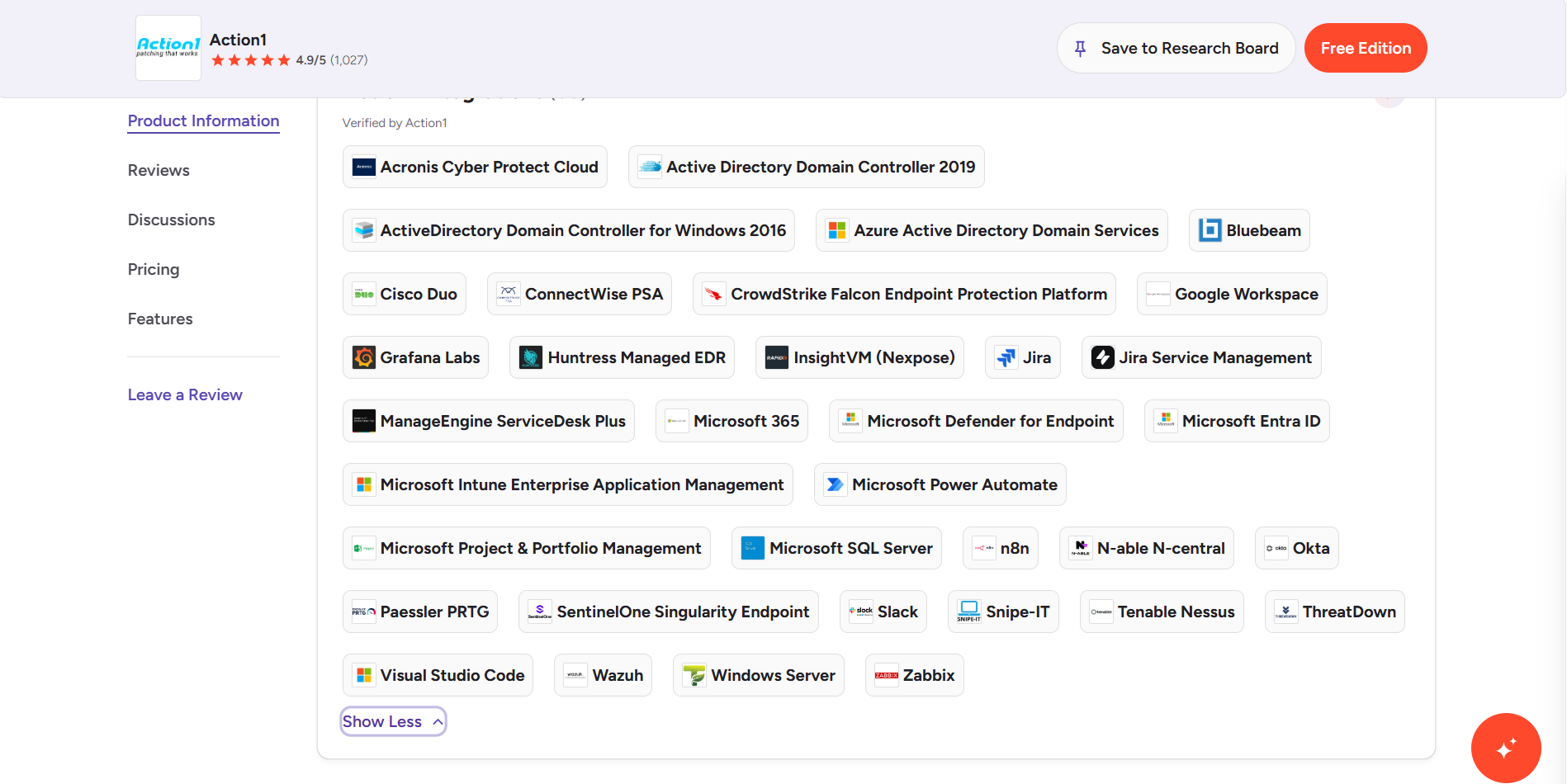
- Full REST API Access – Connect Action1 to your existing IT stack through a full REST API with OAuth 2.0 authentication at no extra charge, enabling integration with PSA platforms, ticketing systems, client management tools, endpoint security tools, and custom workflows.
- Free Tier – For up to 200 endpoints, fully featured, forever. No credit card required, no catch, just patching that works.
Pros:
- Fast initial setup taking about five minutes from creating your account to deploying the agent.
- Lets a single administrator monitor, manage, and protect thousands of endpoints regardless of their geographical location.
- Autonomous OS and third-party patching.
- Reduces manual workload through automation.
- User-friendly platform with an intuitive interface.
- Free forever for up to 200 endpoints.
- No VPN or infrastructure required. Works equally well for office-based and remote endpoints, servers, virtual machines, and cloud workloads.
- Your team always knows which vulnerabilities to fix first, so critical exposures get closed faster and low-priority issues never get in the way.
- Seamless scalability from 200 to 200,000+ endpoints at a gradually lowering per-endpoint cost.
- Automates software deployments and uninstallations.
- Lets you generate audit-ready reports in minutes.
- Patches reach your endpoints faster and bandwidth stays under control no matter the package size, thanks to P2P distribution that eliminates the need for local appliances or cache servers.
- Meets globally recognized security and compliance standards including SOC 2 Type II, ISO 27001, TX-RAMP, and GDPR, according to vendor documentation, so your organization stays protected and audit-ready without additional compliance tooling.
- No one-click rollback capability. Currently, rollback is available through script automation.
- No MDM functionality.
Pricing:
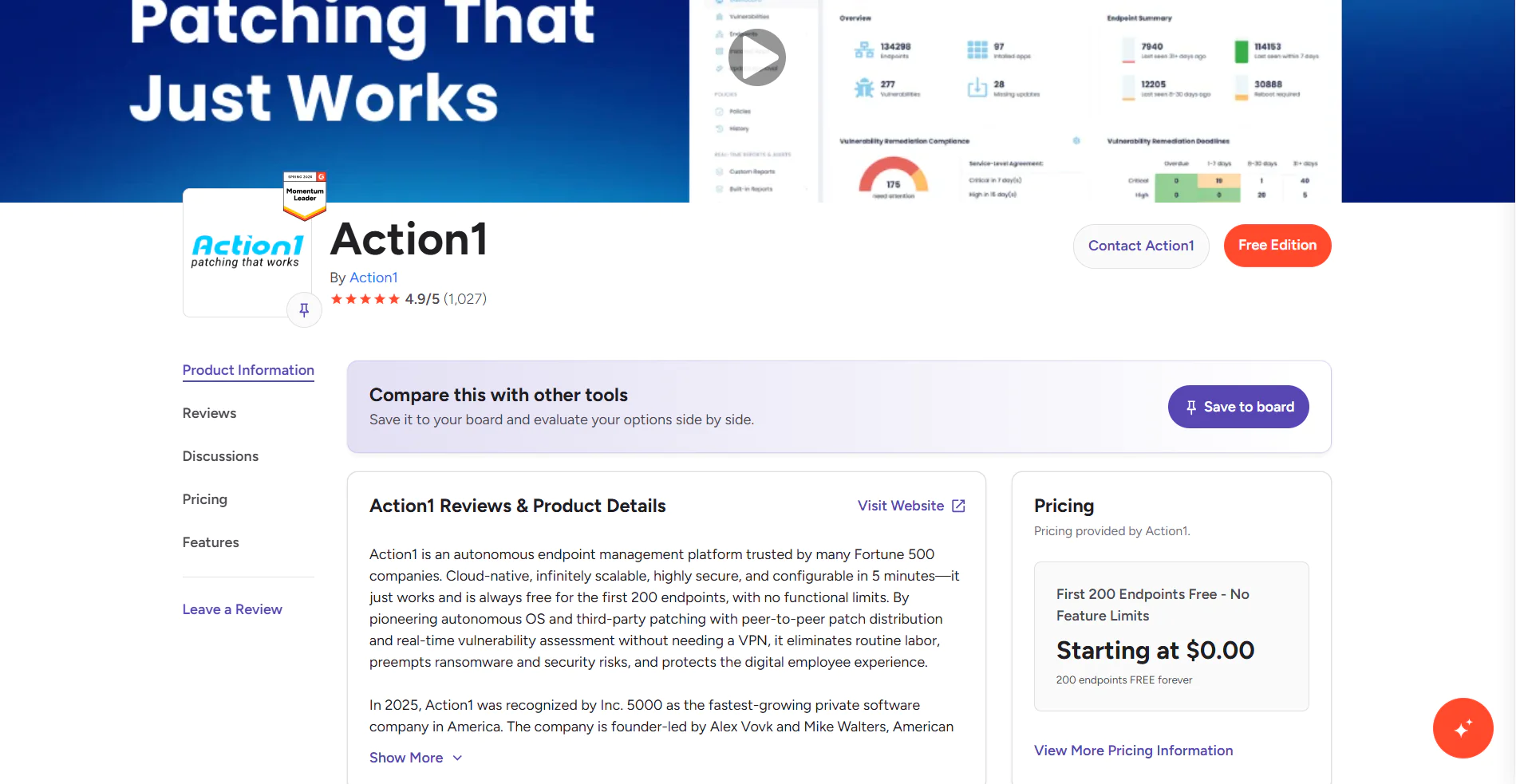
Action1 starts at $0.00 because it offers a free tier for up to 200 endpoints, fully loaded, forever. Scaling above that requires a custom quote, which you can request directly from the pricing page. The more endpoints you manage, the lower the per-endpoint price gets. When you’re ready to scale, expanding your coverage happens almost immediately.
Action1 Ratings:
- G2 Rating: 4.9/5 (1,025+ reviews)

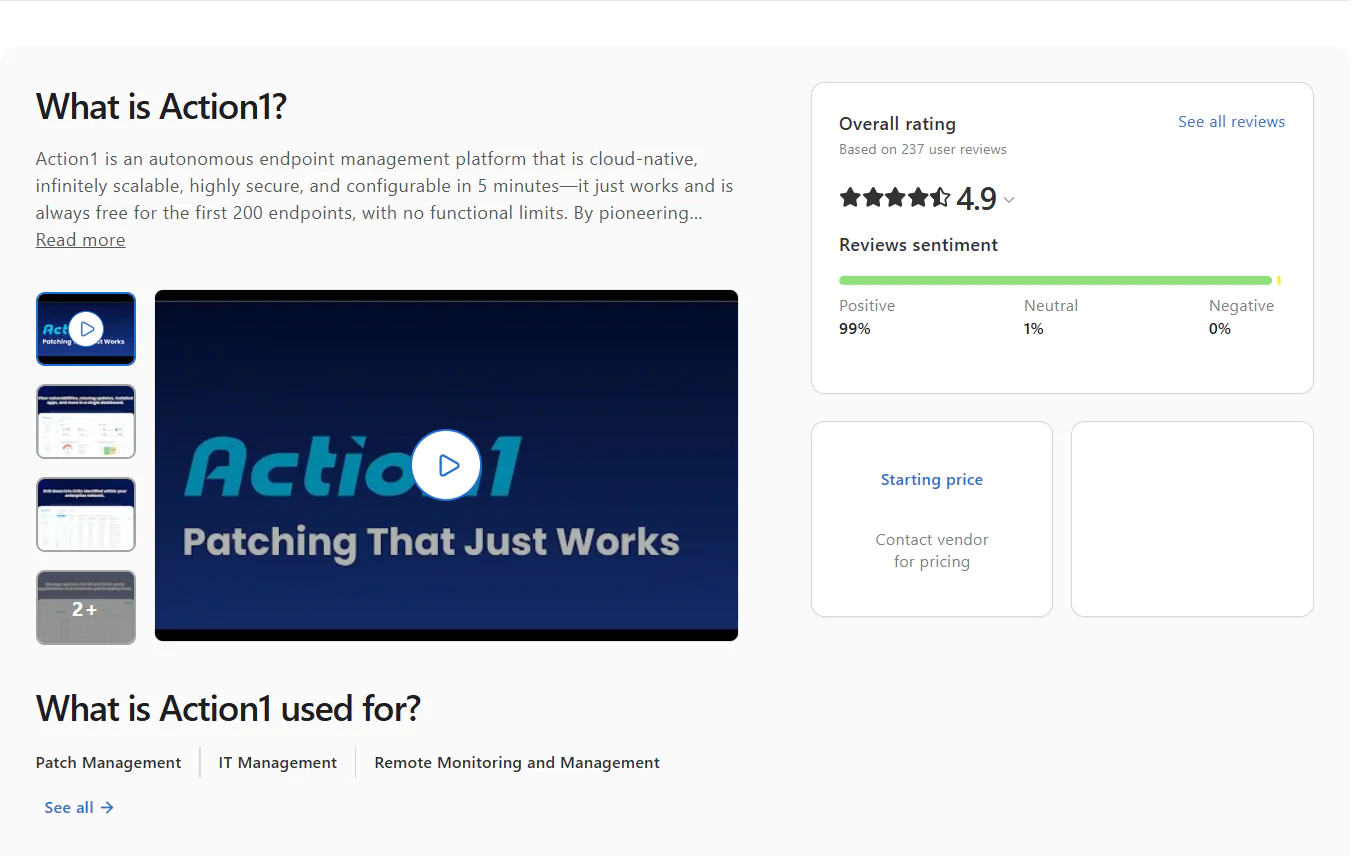
- Capterra Rating: 4.9/5 (235+ reviews)

Microsoft Intune
Microsoft Intune is a cloud-based unified endpoint management (UEM) solution that helps organizations securely manage devices, apps, and data from one place, covering both corporate-owned and personal devices. It supports Windows, macOS, Linux, iOS, iPadOS, Android, and ChromeOS, but be aware that management depth isn’t equal across all of them. Windows gets full native patch management and policy enforcement, macOS works through Apple’s MDM framework with limited patching flexibility, and Linux is limited to compliance monitoring with no patching support.
With it, you can configure security policies, control how data is accessed and shared across your organization, deploy and update applications, and ensure every device meets your compliance requirements. The software works in conjunction with Microsoft Entra ID, Microsoft Purview Information Protection, and the broader Microsoft 365 ecosystem.
Key Features of Microsoft Intune
- Unified Endpoint Management – Manage desktops, laptops, virtual machines, smartphones, tablets, and dedicated shared and kiosk devices from one console.
- Mobile Device Management (MDM) – Provision devices, push security policies, configure settings, and manage certificates with ease.
- Mobile Application Management (MAM) – Protects personal and corporate data on BYOD devices by enforcing controls at the application level rather than the device level, keeping work and personal information cleanly separated.
- Conditional Access – If a device fails your predefined security requirements, it simply doesn’t get access to corporate resources, applications, or sensitive data. You can also control wireless access to corporate networks based on device compliance, user identity, and location.
- Remote Control – Remotely wipe, lock, or retire lost or stolen endpoints with just a few clicks.
- Zero-Touch Device Provisioning – Automates device provisioning the first time they boot up. Intune enrolls them, applies the necessary security policies, installs apps, and configures everything autonomously.
- App Protection Policies – Protect enterprise data by blocking transfers between work and personal apps and preventing screenshots and transfers to USB drives or unauthorized cloud storage.
- Compliance Reporting and Analytics – Get clear information about your devices’ health, compliance status, and overall security posture directly from the admin center. At your convenience, generate data-driven reports, track policy adherence, identify non-compliant devices, and get audit-ready documentation.
- OS and Application Update Management – Patch and update your endpoints’ OS and third-party apps using update rings for faster and safer deployments.
- Role-Based Access Control (RBAC) – Define exactly who on your IT team can see, configure, or manage which devices, policies, and reports, helping you enforce least privileged access.
Pros:
- Lets you manage different types of endpoints through a single platform.
- Minimizes the time spent on routine daily tasks like patching, provisioning, and securing endpoints, their operating systems, and applications.
- Supports Windows, macOS, Linux, iOS, iPadOS, Android, and ChromeOS.
- Strong MDM and MAM capabilities.
- Windows Autopilot enables zero-touch device provisioning at scale.
- Conditional access policies verify user identity, enforce compliance, and only then grant access to corporate resources.
- Limited third-party app patching coverage and no native patching support for macOS, Linux, iOS, and Android.
- Remote Help, Endpoint Privilege Management, and Enterprise App Management come with Intune Plan 2 or the Intune Suite at additional cost.
- Basic reporting capabilities, especially without Advanced Analytics.
- Steep learning curve.
Pricing:
Pricing is per user, per month, billed annually. Three plans are available:
- Plan 1 – $8/user/month.
- Plan 2 – $4/user/month add-on to Plan 1.
- Intune Suite – $10/user/month add-on to Plan 1.
Microsoft Intune Ratings:
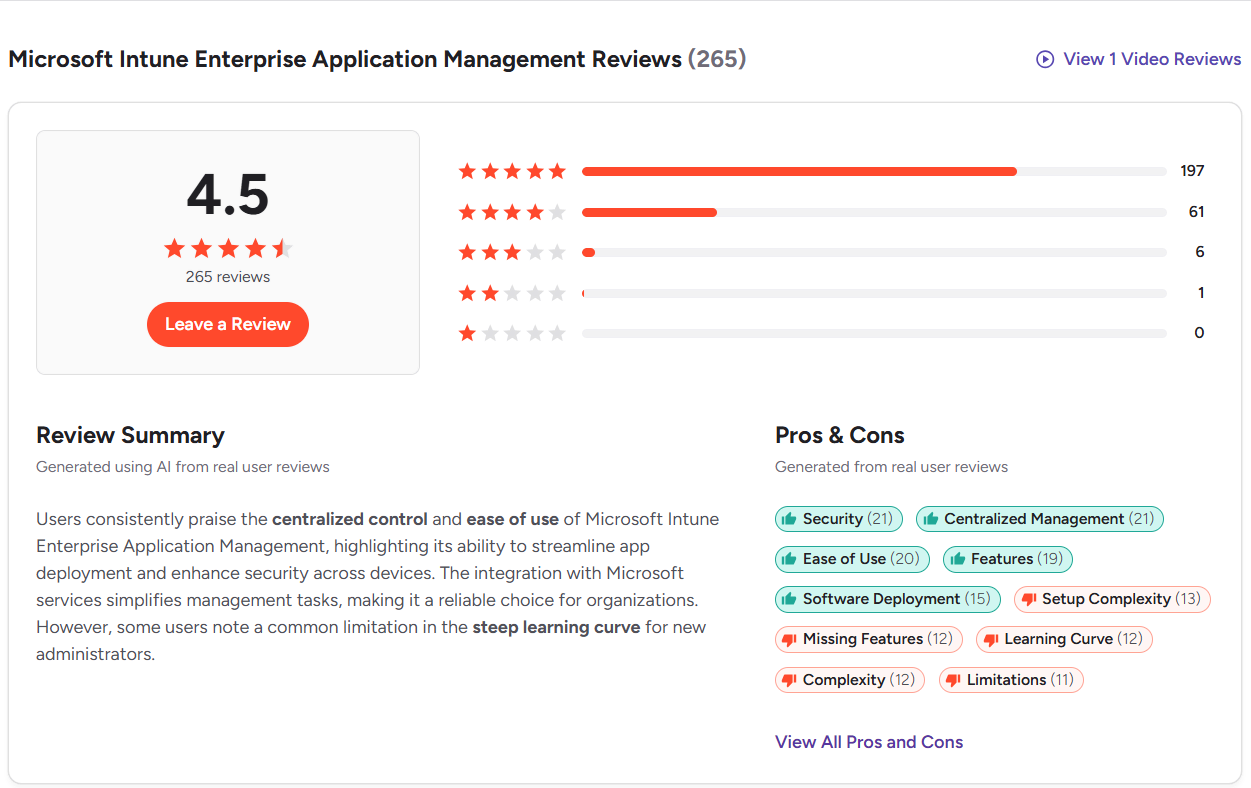
G2 Rating: 4.5/5 (260+ reviews)
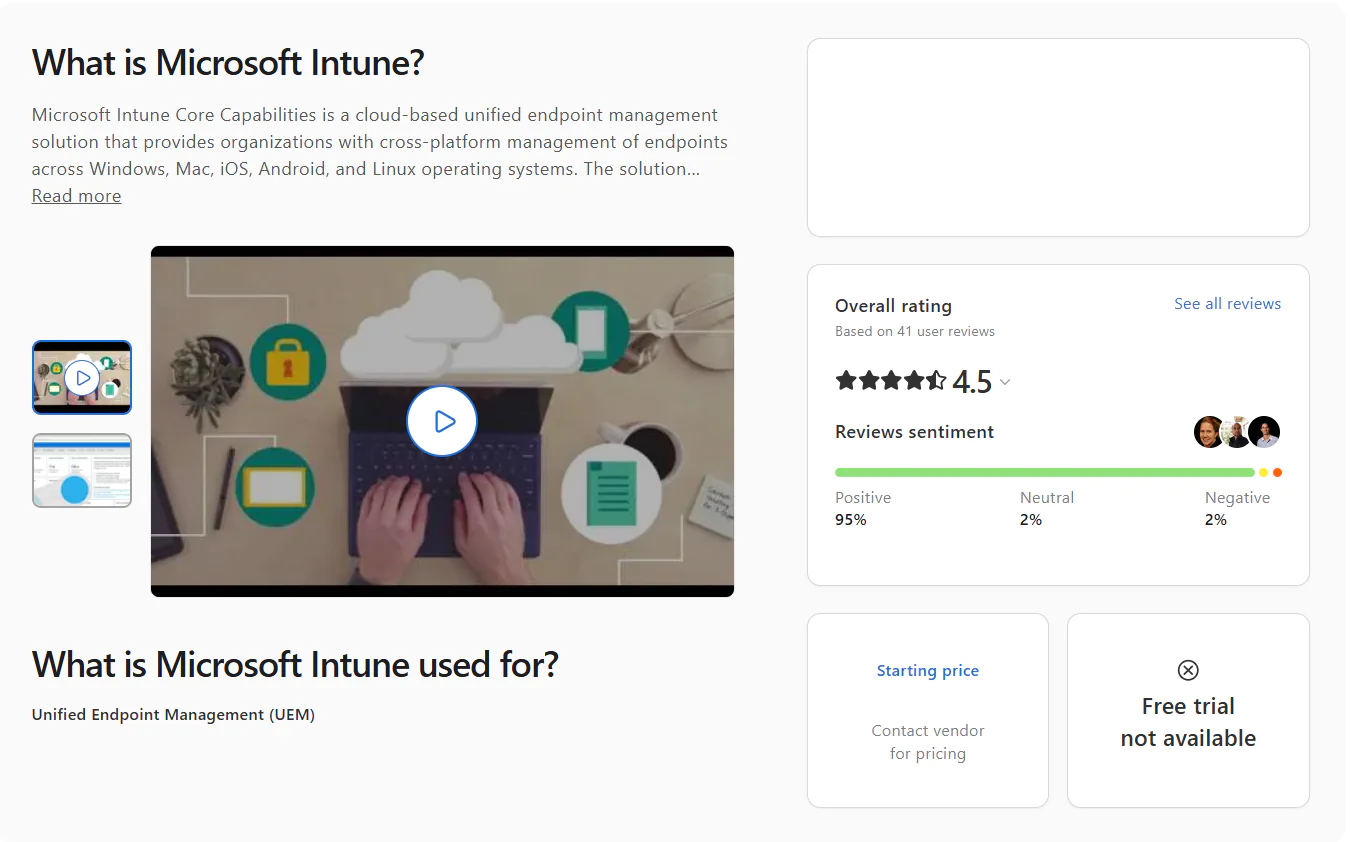
Capterra Rating: 4.5/5 (40+ reviews)
ManageEngine Endpoint Central
ManageEngine Endpoint Central is a unified endpoint management and security solution that allows organizations operating across different industries to manage, monitor, and secure their servers, desktops, laptops, and mobile devices from a single platform. With it, you can automate patching, asset management, remote troubleshooting, data security, attack surface management, ransomware protection, and more.
Key Features of ManageEngine Endpoint Central
- Unified Endpoint Management – Desktops, laptops, smartphones, tablets, and servers, all managed easily regardless of their location.
- Cross-Platform OS Support – Windows, macOS, and Linux.
- Automated Patching – Automates patch deployments for Windows, macOS, Linux, and third-party apps.
- Threat Detection and Remediation – Helps you protect your systems by automating the detection and remediation of vulnerabilities.
- IT Asset Management – Manages software and hardware assets along with license and warranty tracking.
- Mobile Device Management (MDM) – Centralizes device, app, email, and mobile content management for achieving the best compliance and security results across your entire mobile fleet.
- App Management and Distribution – Install or uninstall software simultaneously across your endpoints. You can also block or allow application usage with rule-based filtering.
- OS Imaging and Deployment – Image and deploy OS on Windows-based computers along with all the necessary drivers and applications.
- Remote Troubleshooting – Gives you complete control over remote endpoints to resolve different issues.
Pros:
- Automates OS and third-party patching, device provisioning, scripting, and other repetitive maintenance tasks.
- Lets you enforce security policies to protect corporate and personal data.
- Available in both on-premises and cloud-based versions.
- Equips you with a strong set of advanced security features.
- Manages mobile devices running iOS and Android.
- Phased patch deployment through test groups and APD policies for fewer downtime risks and timely vulnerability remediation.
- Gives you comprehensive real-time visibility into each of your endpoints.
- Complex user interface.
- Occasional patch deployment failures.
- Agent drop-offs.
- Limited report and dashboard customization.
- In some cases, patched endpoints still appear as vulnerable.
- User provisioning and assigning users to remote offices come with great complexity.
Pricing:
ManageEngine Endpoint Central offers both cloud and on-premises deployment across all plans. Here’s how the pricing breaks down for 50 endpoints and one technician:
- Free tier – Up to 25 desktops and 25 mobile devices, forever, but with limited functionality.
- Professional – On-premises at $795 per year or $1,987 perpetual. Cloud at $104 per month or $1,045 per year.
- Enterprise – On-premises at $945 per year or $2,362 perpetual. Cloud at $124 per month or $1,245 per year.
- UEM – On-premises at $1,095 per year or $2,738 perpetual. Cloud at $139 per month or $1,395 per year.
- Security – On-premises at $1,695 per year or $4,238 perpetual. Cloud at $205 per month or $2,045 per year.
ManageEngine Endpoint Central Ratings:
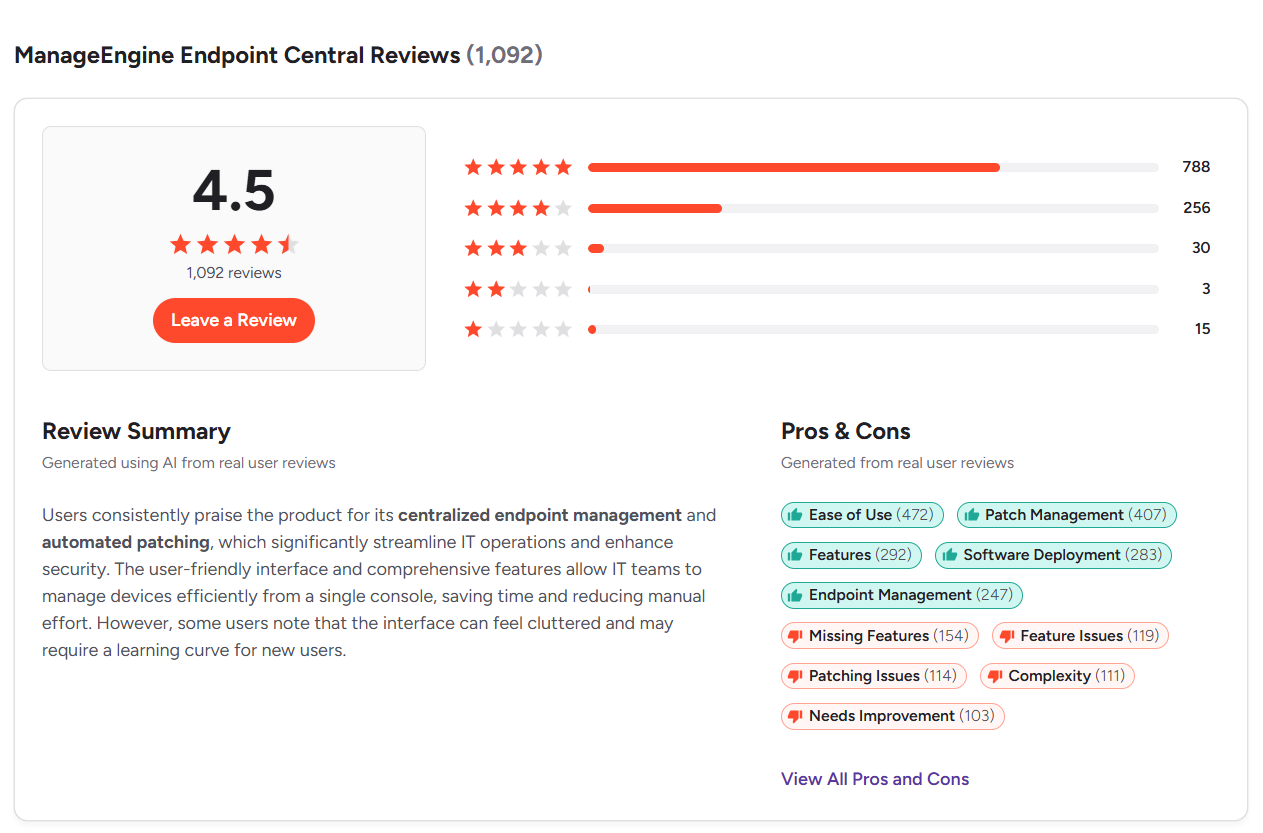
- G2 Rating: 4.5/5 (1,090+ reviews)

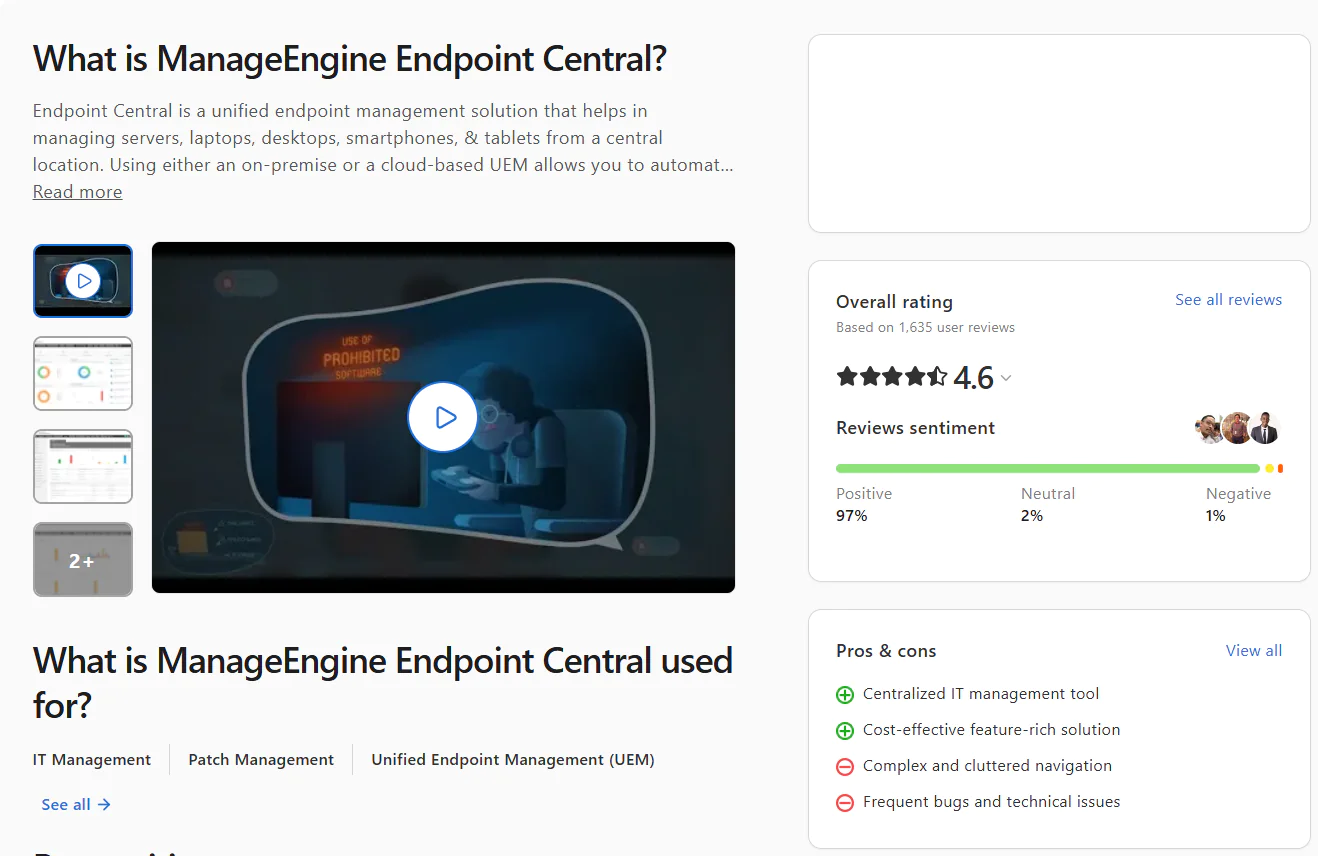
- Capterra Rating: 4.6/5 (1,630+ reviews)

Omnissa Workspace ONE UEM
Omnissa Workspace ONE UEM is a cloud-native unified endpoint management platform built for large enterprises that manage a mix of endpoints running various operating systems. It works across desktops, laptops, smartphones, tablets, rugged devices, and servers, letting IT teams monitor, manage, and secure them all from one place.
The platform automates repetitive tasks like patch management, software deployment and uninstallation, device onboarding, and compliance enforcement using AI-driven automation. On top of that, it comes with security controls like conditional access, compliance policies, and device posture checks built in. In short, the software lets you protect your endpoints, keep them compliant, and ensure they’re running smoothly with minimal manual effort on your part.
Key Features of Omnissa Workspace ONE
- Cross-Platform OS Support – Windows, macOS, and Linux.
- Unified Endpoint Management – Lets you manage all your endpoints from a single console regardless of their OS or device type.
- Passwordless Single Sign-On – Your employees get one-touch access to every app they need, whether that’s a web app, a SaaS tool, or a native mobile app, without typing a password every single time.
- Conditional Access – Supports zero trust security by controlling who gets into what based on device compliance, user identity, network location, and more. If a device doesn’t meet the established security requirements, it doesn’t get in. And instead of just blocking access, Workspace ONE guides users toward compliance rather than leaving them stuck at a wall.
- Automated App Management – Manage apps across your entire fleet by installing, updating, and removing software without touching a single device manually. It works for Windows apps, mobile apps, and everything in between, on a schedule or on the fly.
- Zero-Touch Device Provisioning – Dynamic Smart Groups automatically push the right configurations, Wi-Fi settings, VPN profiles, and applications to the prompt devices based on user attributes and device information. No laptop imaging needed.
- Data Loss Prevention – Block copy and paste between work and personal apps, restrict access from rooted or jailbroken devices, and set geofencing rules that cut access the moment a device leaves an approved location.
- Real-Time Visibility and Reporting – Monitor application usage, device events, and compliance status across your entire environment in real time, with exportable reports for audit and regulatory purposes.
- Virtual App and Desktop Delivery – Through Horizon integration, users can securely access virtual desktops and sensitive applications from any device, anywhere, without the data ever leaving your controlled environment.
Pros:
- Automates the most time-consuming maintenance tasks every IT team faces daily.
- Lets you monitor, manage, and protect your endpoints from one place while keeping complete control over task execution for minimal downtime risks and maximum efficiency.
- Offers seamless scalability.
- Strong set of security features.
- Doesn’t require investments in on-premises hardware or VPN.
- The interface isn’t as intuitive as advertised and is confusing to navigate, primarily because many advanced options are buried within menus, which is a real problem for less technical users.
- Occasional performance issues like slow loading times or connectivity problems.
- Higher price compared to competitors offering similar features.
Pricing:
There are five plans billed monthly, based on 12 months prepaid with production-level support. Additional term lengths and billing options are also available.
- Mobile Essentials – $3.00 per device or $5.40 per user per month. Mobile device management and secure mobile apps.
- Desktop Essentials – $4.00 per device or $7.20 per user per month. Enterprise desktop management.
- UEM Essentials – $5.25 per device or $9.45 per user per month. Unified endpoint management across every platform.
- Enterprise Edition – $10.00 per device or $15.00 per user per month. Intelligence-driven secure digital workspace.
- Platinum Edition – $15.63 per device or $24.71 per user per month. Full autonomous workspace capabilities.
Omnissa Workspace ONE Ratings:
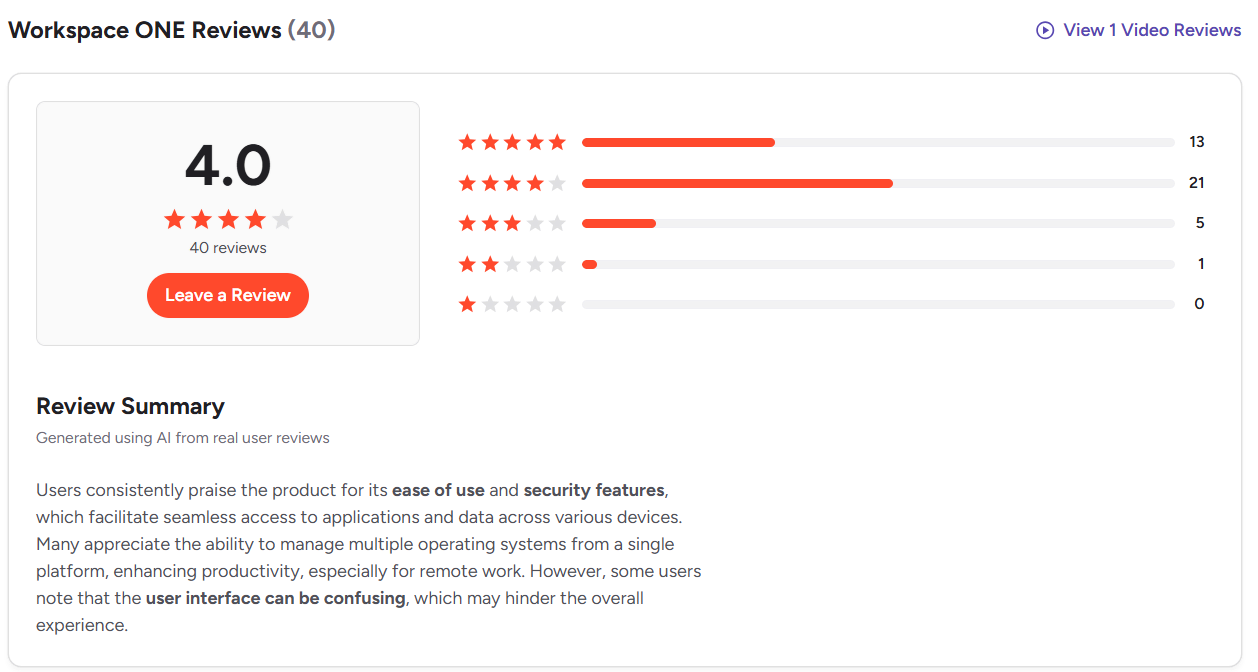
- G2 Rating: 4.0/5 (40+ reviews)

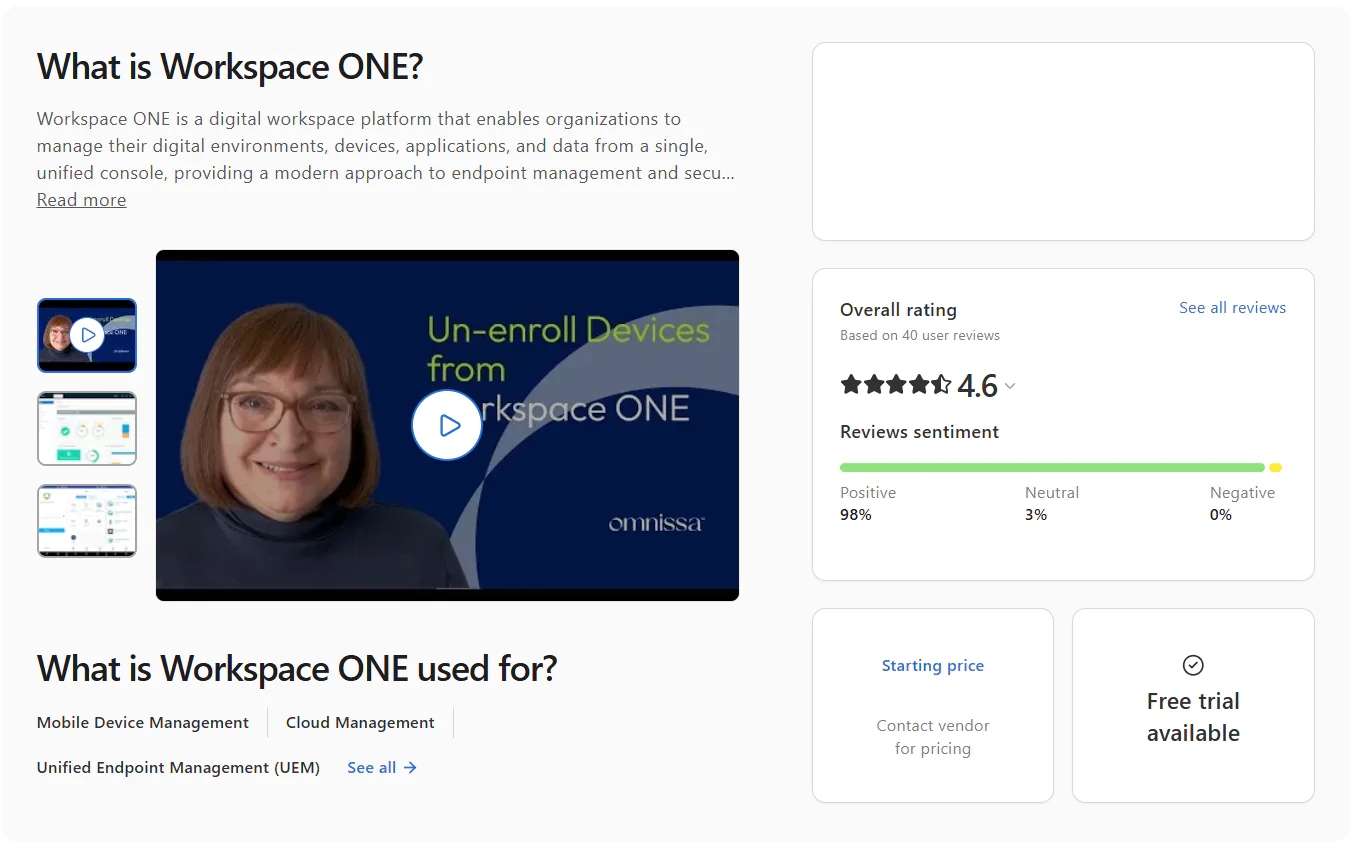
- Capterra Rating: 4.6/5 (40+ reviews)

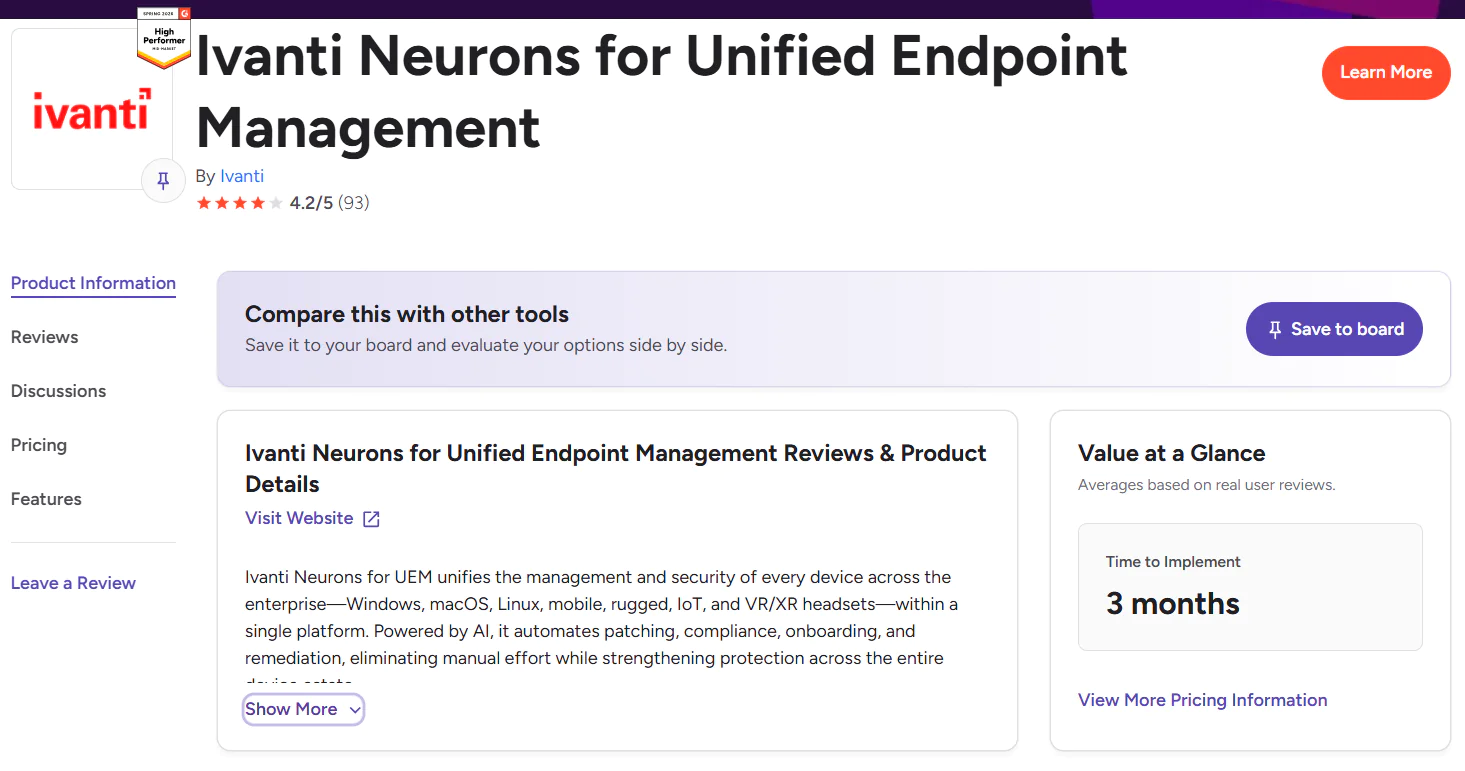
Ivanti Neurons for UEM
Ivanti Neurons for Unified Endpoint Management (UEM) is a cloud-based platform that gives your IT team real-time visibility and control over each endpoint across your network, including desktops, laptops, mobile devices, and IoT devices. The software is powered by AI to deliver advanced automation for patching, compliance, onboarding, and vulnerability remediation, all with minimal manual effort while security threats get addressed in a timely manner.
When using Ivanti Neurons for UEM, you get comprehensive visibility across your network, eliminating blind spots and enabling your IT and security teams to shift from reactive threat remediation to strategic and efficient action. With it, you reduce security risks, scale IT efficiency, and deliver a seamless, resilient, and secure digital experience for every user.
Key Features of Ivanti Neurons for UEM
- Cross-Platform OS Support – Windows, macOS, and Linux.
- Unified Endpoint Management – Desktops, laptops, smartphones, tablets, and servers, all managed easily from a single console regardless of their OS, device type, or location.
- Automated OS and Third-Party Patching – Automates patch deployments for Windows, macOS, Linux, and third-party apps.
- Real-Time Asset Discovery – Automatically discovers endpoints across your network and ensures your inventory is constantly updated to minimize security risks and prevent blind spots.
- End-to-End Lifecycle Device Management – Automated provisioning, zero-touch onboarding, and over-the-air deployment.
- Digital Employee Experience (DEX) – Tracks performance and usage data across devices and applications, giving your team the context they need to troubleshoot and fix issues fast without interrupting employees’ workflow.
Pros:
- Strong automation capabilities that eliminate manual workload across the most time-consuming security tasks like patch management, asset inventory, and scripting.
- Eliminates or at least minimizes blind spots across your network, which prevents security incidents coming from weak links in your environment.
- From one place you can monitor, manage, and protect your Windows, macOS, Linux, and ChromeOS endpoints.
- Cloud-based, which means it works without additional tools like VPNs or investments in on-premises hardware.
- Reduces the time spent on preparing regulatory compliance documentation.
- The user interface is described as non-intuitive. New users find it challenging to get used to the software, and it takes time to learn how to use all the functions and squeeze out its full potential.
- Long implementation period, especially for larger enterprises with 1,000+ endpoints.
- Occasional performance lag that happens mostly when managing a high volume of endpoints simultaneously.
- Higher cost compared to alternatives with similar functionality.
Pricing:
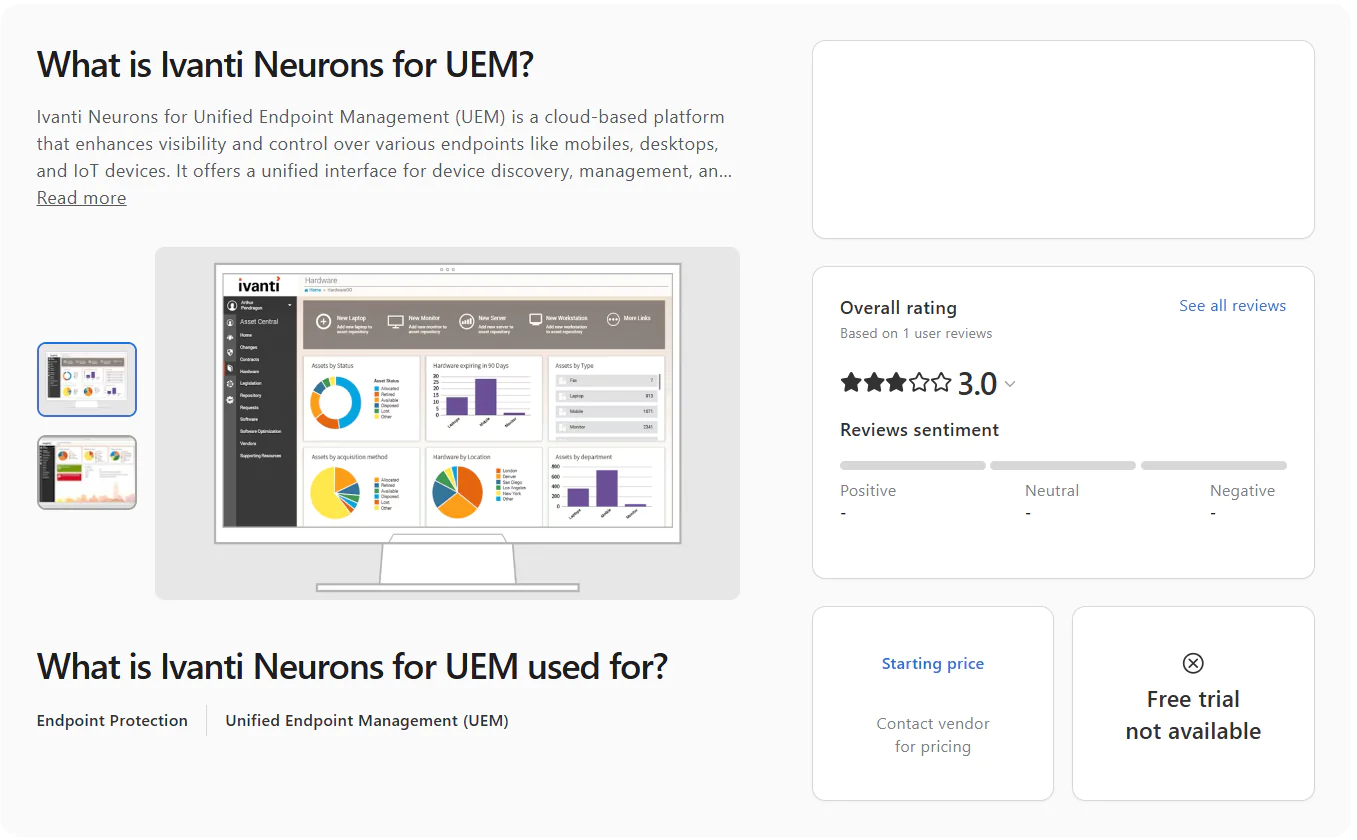
Ivanti doesn’t publish pricing on its website. You’ll need to contact their sales team for a quote based on your company’s specific needs, since Ivanti uses a custom, quote-based pricing model.
Ivanti Neurons for UEM Ratings:
- G2 Rating: 4.2/5 (90+ reviews)

- Capterra Rating: 3.0/5 (1 review)

Hexnode UEM
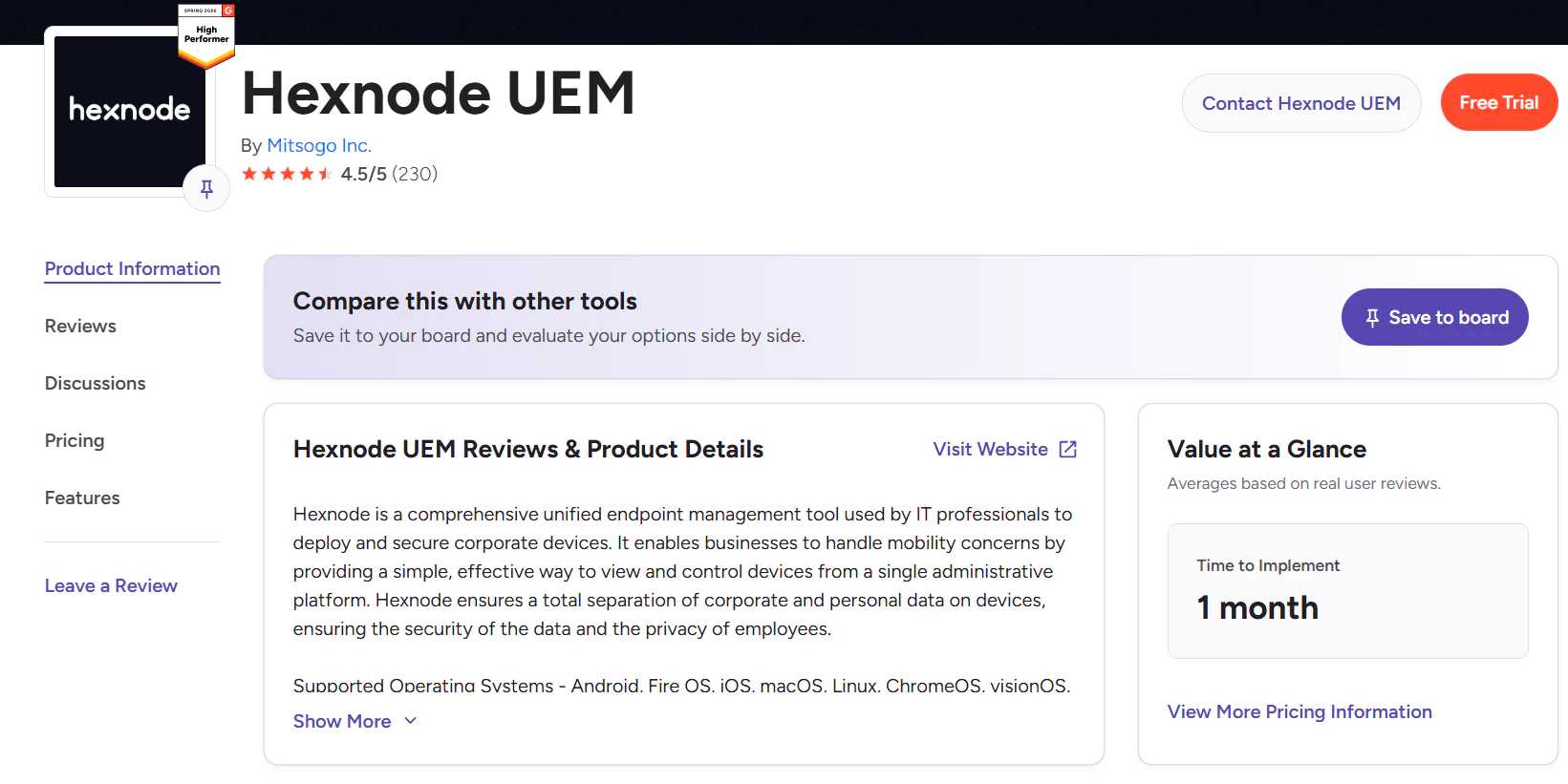
Hexnode UEM is a cloud-based unified endpoint management platform that lets organizations and their IT teams monitor, manage, and secure their endpoints in real time from one place, whether they’re on-premises or remote.
It supports Windows, macOS, Linux, iOS, iPadOS, Android, ChromeOS, tvOS, and Fire OS. With it, you can keep different endpoint types protected, up-to-date, and smoothly performing by automating patch management, enforcing security policies, installing and uninstalling software, and configuring devices over-the-air, without needing to be physically present next to them.
Key Features of Hexnode UEM
- Cross-Platform OS Support – Windows, macOS, and Linux.
- Mobile Device Management – iOS, iPadOS, Android, and Fire OS.
- Unified Endpoint Management – Desktops, laptops, smartphones, tablets, and servers, all managed easily regardless of their location.
- OS and Third-Party Patching – Automates patch deployment for Windows, macOS, and Linux, as well as hundreds of third-party applications.
- Zero-Touch Device Enrollment – Automates device onboarding and provisioning using Apple Business Manager, Android Enterprise zero-touch enrollment, and Samsung Knox.
- Remote Endpoint Management – Remotely wipe, lock, or restart endpoints and control the data stored on them from anywhere.
- Application Management – Whitelist or blacklist specific applications, and install or remove software across your managed endpoints.
- Kiosk Mode – Lock down mobile devices and desktops to specific applications or websites only.
- Real-Time Reporting and Compliance – Gives you 360-degree visibility into your endpoints’ patch and compliance status, security posture, hardware configurations, and software inventory, plus customizable templates for generating audit-ready reports.
Pros:
- Easy to set up.
- Strong multi-platform support.
- Advanced capabilities for troubleshooting, wiping, locking, and securing on-premises and remote endpoints.
- Device offboarding takes more time than expected.
- Feature gaps in Windows and macOS management.
- Higher price compared to other alternatives on the market.
- Lagging command execution.
- Basic reporting and limited customization options.
- The interface isn’t as intuitive as advertised.
Pricing:
Hexnode UEM offers four plans billed per device per month. All prices shown are monthly, with a 10% discount available when billed annually.
- Pro – $2.40 per device per month. MDM essentials including kiosk management, app management, location tracking, and Android Enterprise.
- Enterprise – $3.60 per device per month. Everything in Pro plus basic desktop management, remote view, mobile OS updates, geofencing, and directory integrations.
- Ultimate – $5.20 per device per month. Everything in Enterprise plus automation, custom scripting, Windows Autopilot, FileVault for macOS, remote control, and advanced reporting.
- Ultra – Custom pricing on request. Everything in Ultimate plus macOS and Windows patch management, Okta Device Trust, BitLocker, and AI-powered endpoint management with Genie AI.
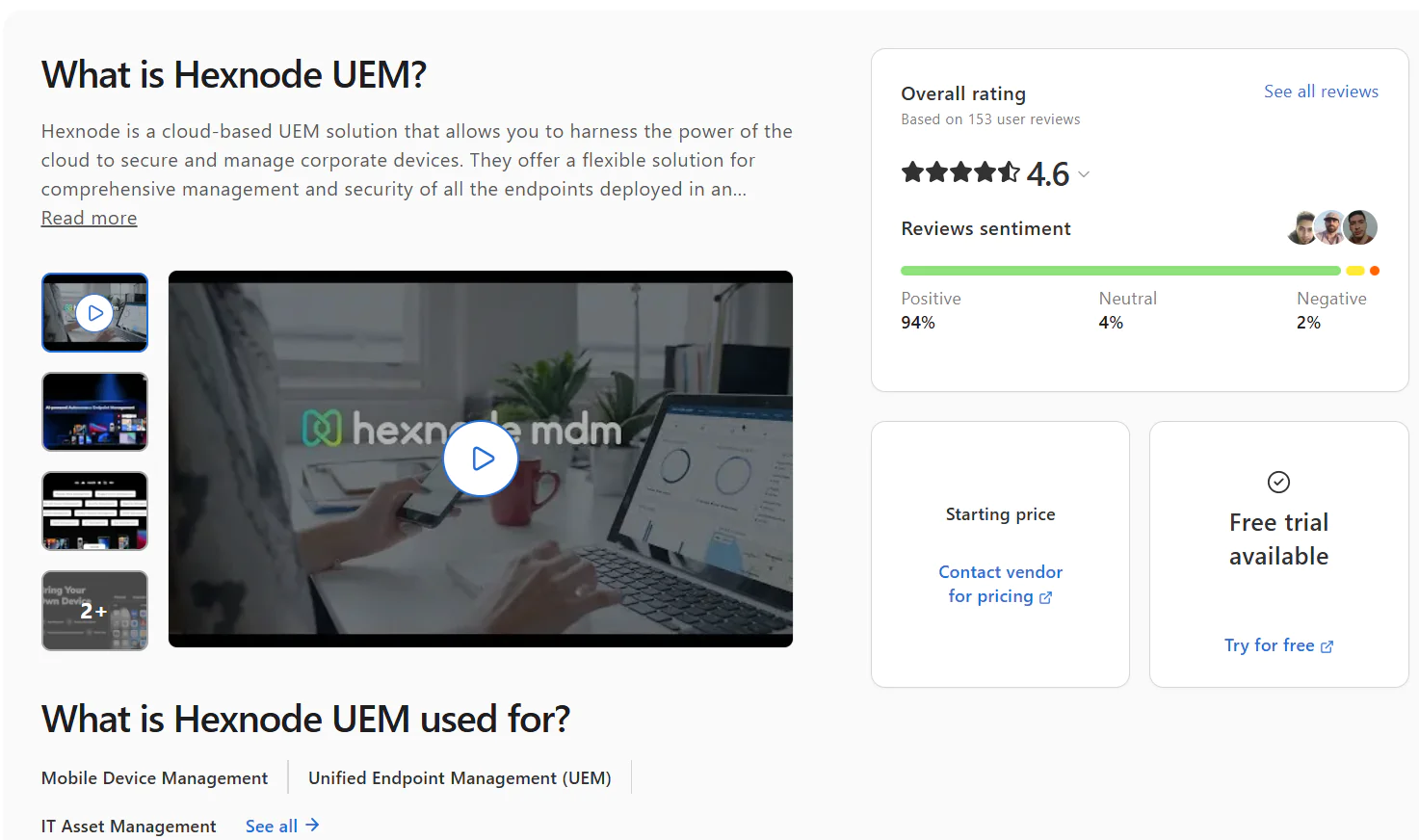
You can try the software free for 14 days before purchasing a license, so you can test it firsthand and decide whether it’s the right fit for you.
Hexnode UEM Ratings:
- G2 Rating: 4.5/5 (230+ reviews)

- Capterra Rating: 4.6/5 (150+ reviews)

Jamf Pro
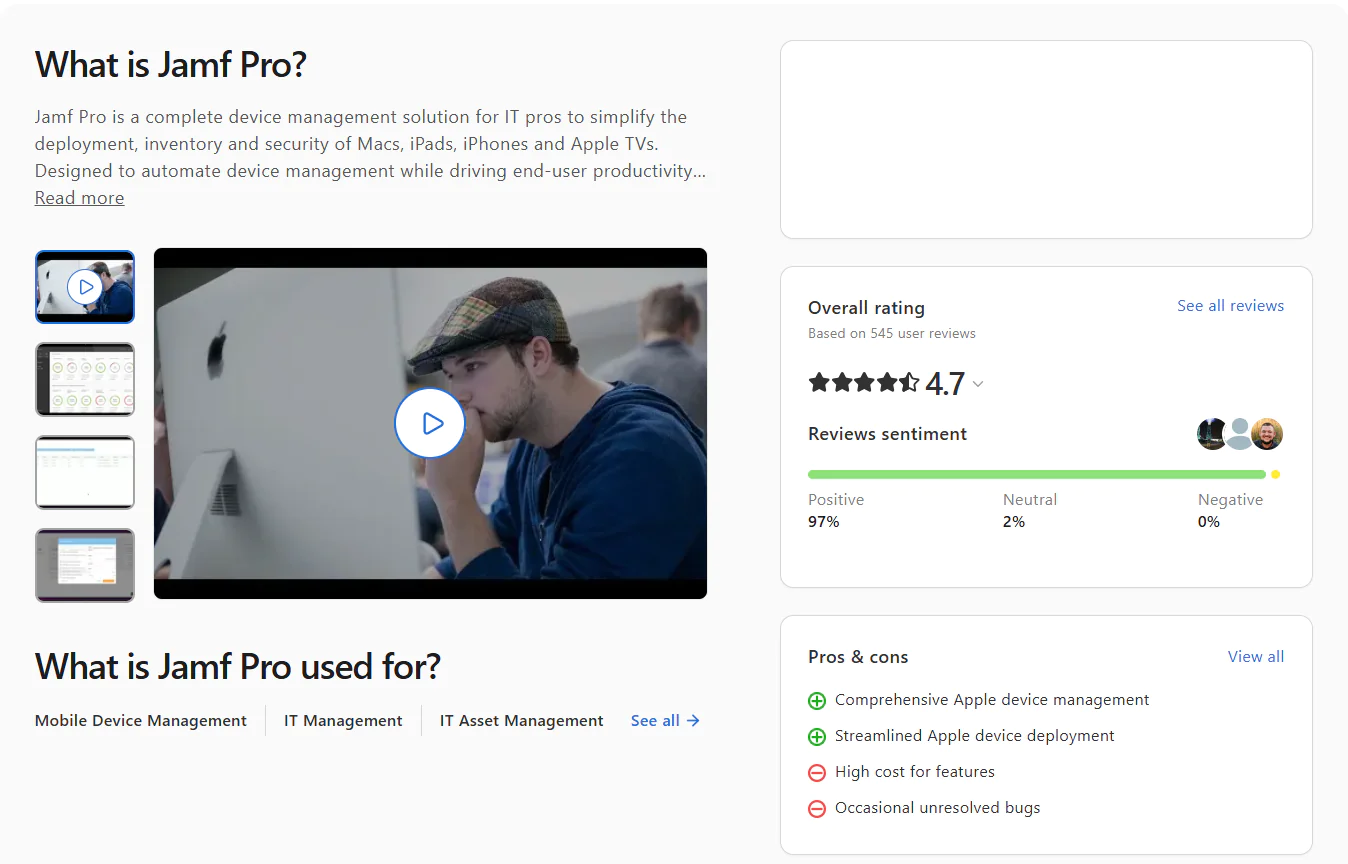
Jamf Pro is a cloud-native platform built specifically for Apple. If your organization runs on Mac, iPad, iPhone, or Apple TV, this is the tool designed with you in mind. Businesses rely on it for automating OS and third-party patching, zero-touch deployment, inventory management, security configuration, and software distribution across their entire Apple fleet.
Key Features of Jamf Pro
- OS Support – macOS, iOS, iPadOS, and tvOS.
- OS and Third-Party Patching – Handles the full patching cycle for macOS and third-party applications automatically, from detection to deployment.
- Zero-Touch Deployment – Ship a brand new workstation straight to your new employee’s desk. The moment they boot it up and connect to the internet, it configures itself, installs everything they need, and hands them a ready-to-work device. No IT involvement required.
- Device Management and Configuration – Create and enforce security policies, run scripts, and manage all your endpoints, whether they’re sitting in the office or connecting from the other side of the world.
- Inventory Management – Gives you clear and current data about the hardware and software on every endpoint. You can also build dynamic Smart Groups based on OS version, installed applications, and other attributes, which genuinely comes in handy when you’re managing hundreds of devices at once.
- App Lifecycle Management – Handles deployment of App Store and custom software across managed endpoints, supports volume purchasing, and pushes apps to remote endpoints without asking anyone for their Apple ID.
- Security – Uses FileVault to encrypt devices and stops malicious software before it spreads to other endpoints or gets anywhere near your sensitive corporate data.
Pros:
- Purpose-built for Apple device management. If your fleet runs on Apple hardware, there’s nothing better on this list.
- Powerful automation for grouping endpoints and keeping OS and third-party apps patched.
- Self-Service Portal that lets your employees sort out the small stuff themselves instead of pinging IT every five minutes.
- Jamf Nation is one of the strongest IT communities around. Chances are someone already solved whatever you’re dealing with.
- Advanced scripting capabilities.
- Expensive. There’s no way around it.
- Steep learning curve. Most users end up on YouTube or paying for official training, which costs more than you’d expect.
- The interface feels like a mashup of old and new. Most users find it takes some getting used to.
- Apple only. If your environment runs anything else alongside it, you’ll need another tool.
Pricing:
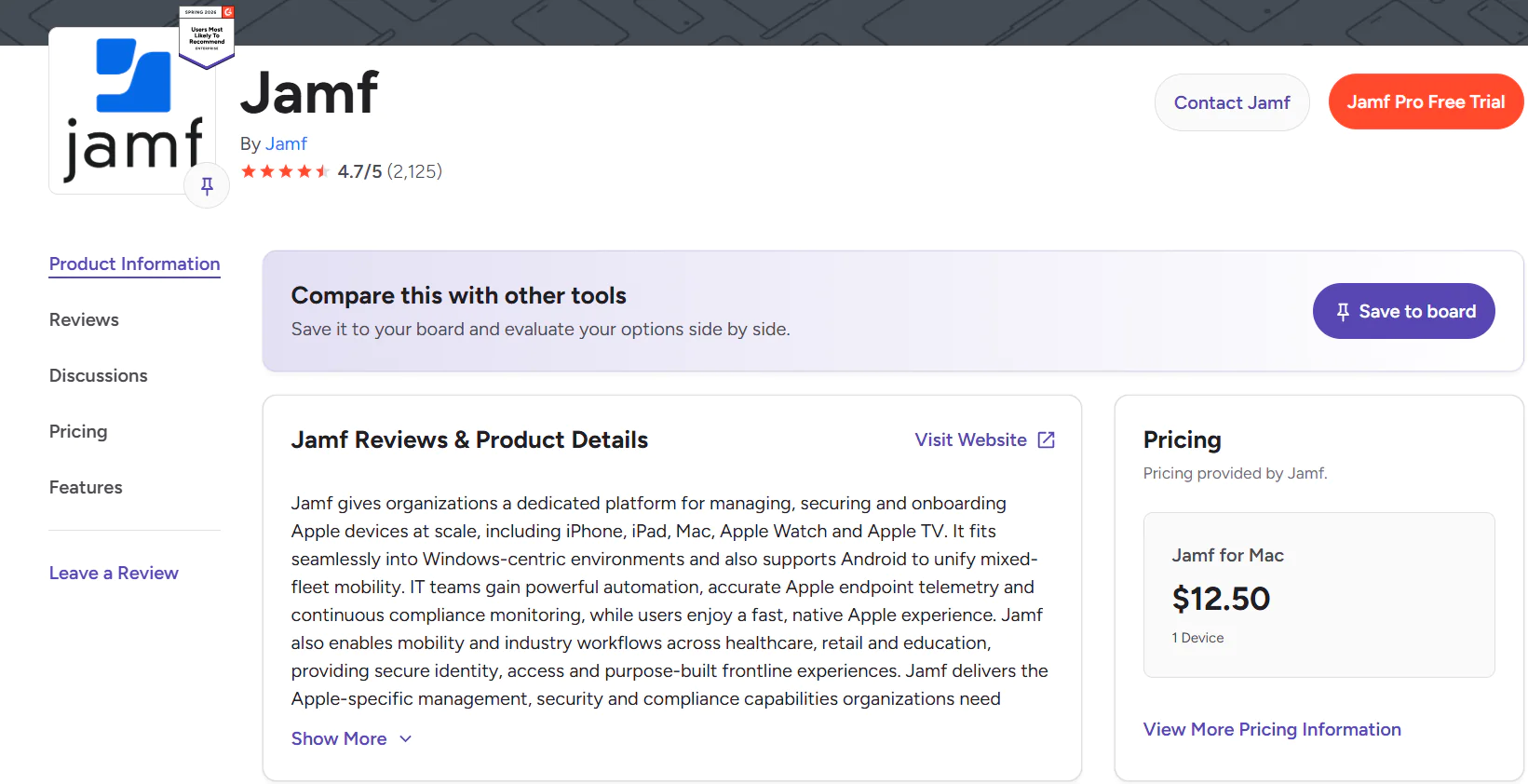
Jamf for Mac management starts at $12.50 per device per month, billed annually. Jamf for Mobile starts at $5.75 per device per month, also billed annually. Both plans have a 25-device minimum. Running a smaller team with fewer than 25 devices? Jamf Now covers the basics at $4 per device per month with no minimum required.
Jamf Pro Ratings:
- G2 Rating: 4.7/5 (2,120+ reviews)

- Capterra Rating: 4.7/5 (540+ reviews)

HCL BigFix
HCL BigFix is a unified endpoint management platform built for complex enterprise environments where scale, OS diversity, and compliance aren’t minor concerns but daily realities. It automates patch management, compliance monitoring and enforcement, software deployment, and full server infrastructure lifecycle management, all from one place.
One of the greatest benefits is its robust patch content coverage, with pre-built and tested content available for 100+ operating systems, including Windows, macOS, Linux, UNIX, AIX, Solaris, and HP-UX, as well as numerous third-party software titles. That kind of breadth is genuinely rare.
It automatically identifies vulnerabilities and missing patches, then lets you shape the deployment process exactly the way you want it, keeping downtime risks low while closing flaws before they become incidents. Lightweight agents run quietly on each endpoint, pulling real-time data on system configuration, security status, installed software, and hardware details without slowing anything down.
The end result is fewer vulnerabilities, less time spent on manual remediation, and an IT environment that actually behaves the way you want it to.
Key Features of HCL BigFix
- Cross-Platform OS Support – Windows, macOS, Linux, UNIX, AIX, Solaris, and HP-UX. Pre-built and tested patch content available for 100+ operating systems across on-premises, hybrid, and cloud environments.
- Third-Party Application Patching – Automatically discovers and deploys patches across a broad catalog of third-party software titles.
- Full Server Lifecycle Management – Covers the entire server infrastructure lifecycle from a single console, including provisioning, OS deployment, software distribution, patch management, and remote control.
- Continuous Compliance Enforcement – Keeps regulated organizations compliant with PCI-DSS, health insurance portability and accountability regulations (HIPAA), and DISA STIGs through 38,000+ out-of-the-box checks.
- Asset Discovery and Inventory – Discovers and tracks software and hardware assets across your entire environment in real time.
- Real-Time Threat Prioritization with Automated Remediation – Discovers, prioritizes, and remediates vulnerabilities using threat intelligence from the CISA KEV catalog and MITRE ATT&CK Framework, so your team always knows what to fix first and why.
- AI-Driven Runbook Automation – Resolves server and application issues faster with 350+ pre-built runbook automations for complex enterprise IT workflows.
- Deployment Flexibility – Available on-premises, in the cloud, or via BigFix SaaS Remediate, so you pick the model that fits your infrastructure and security requirements, not the other way around.
Pros:
- Discovers assets in real time.
- Automates compliance checks and vulnerability remediation.
- Automates patching across 100+ operating systems.
- Uses risk-based prioritization to close the right vulnerabilities first rather than just working through a list.
- Comes with a self-service portal.
- Extensive scripting and API options for automating workflows and routine tasks with less manual effort.
- Scales without friction as your environment grows.
Cons:
- The initial setup can be more complex and time-consuming than expected, especially for non-tech-savvy users.
- The web console is a known weak point. Navigation isn’t intuitive, dashboards aren’t easily customizable, and the reporting options don’t match the depth of the platform’s actual capabilities.
- Reporting needs a serious upgrade.
Pricing:
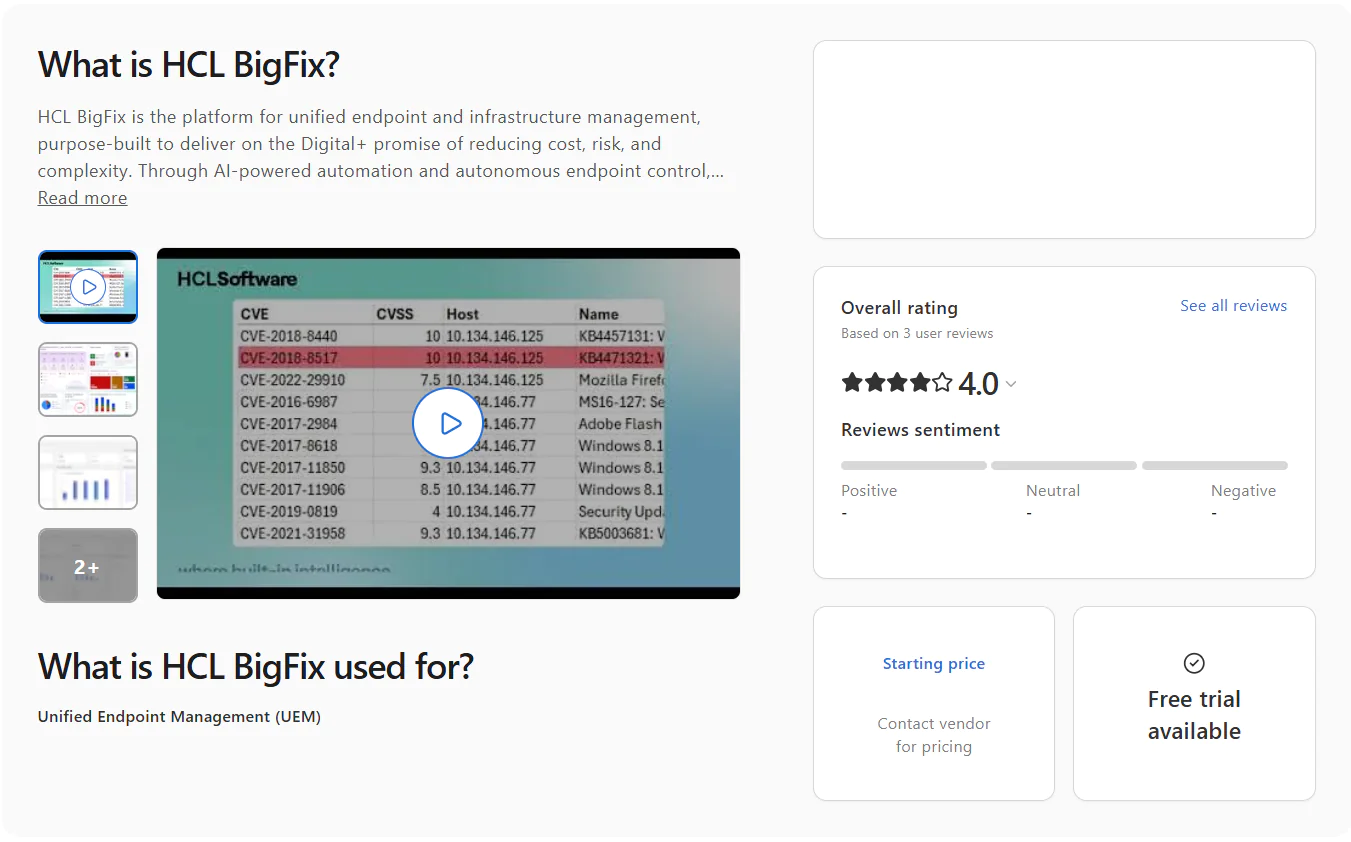
HCL BigFix doesn’t publish fixed pricing on its website. To get actual numbers, you’ll need to contact their sales team for a custom quote.
HCL BigFix Ratings:
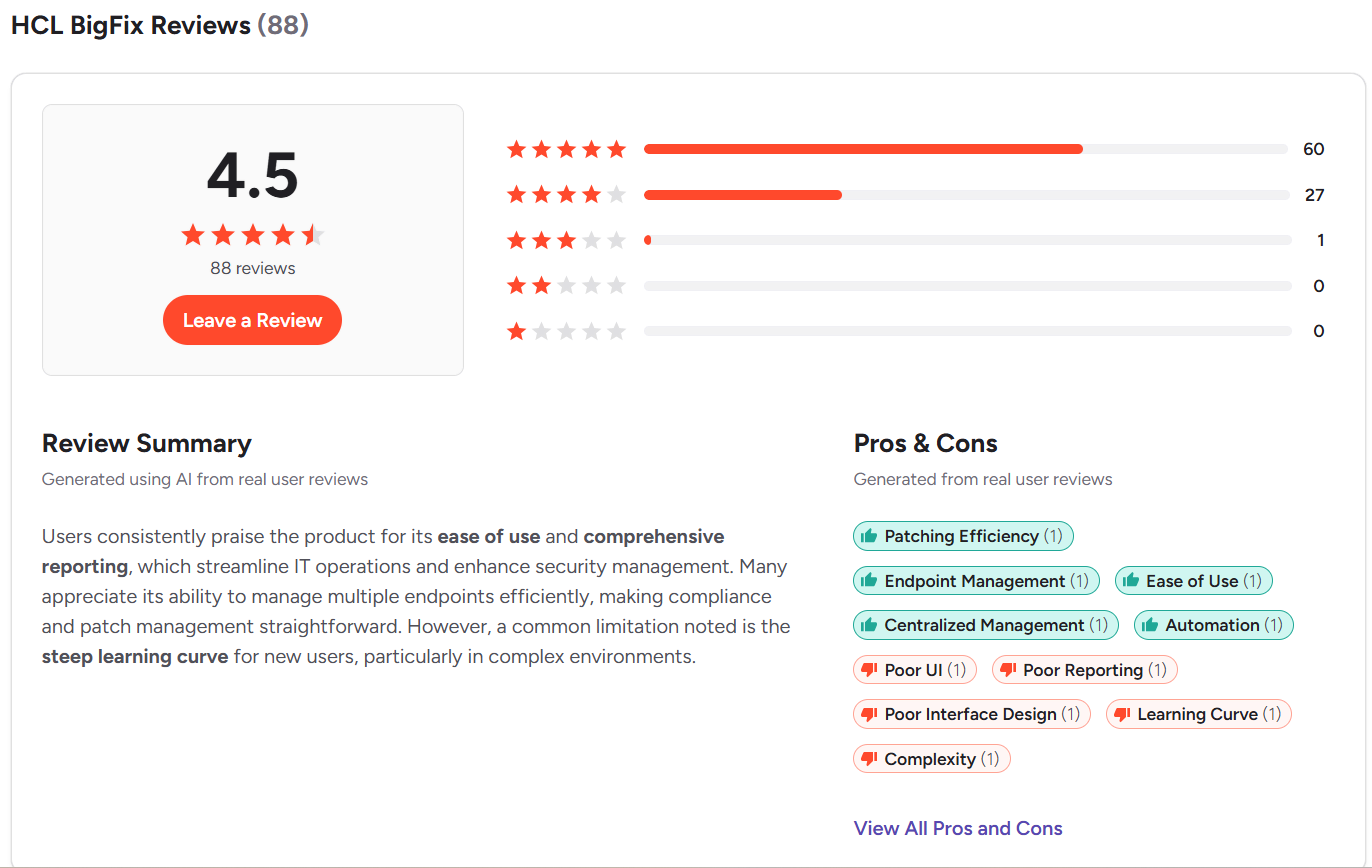
G2 Rating: 4.5/5 (85+ reviews)
Capterra Rating: 4.0/5 (3 reviews)
SOTI ONE Platform
The SOTI ONE Platform is an integrated suite of enterprise mobility management solutions built specifically for organizations that run business-critical mobile operations at scale. It reduces the cost, complexity, and downtime of managing large fleets of mobile devices, printers, and rugged hardware across industries like logistics, retail, transportation, and field services. With it, you get a single place to deploy, configure, secure, monitor, troubleshoot, and manage every device across your entire operation, from the moment it’s unboxed to the day it’s retired.
Key Features of SOTI ONE Platform
- Cross-Platform OS Support – Windows, macOS, and Linux.
- Mobile Device Management – Android, iOS, and iPadOS.
- Unified Endpoint Management – Desktops, laptops, smartphones, tablets, servers, IoT devices, and rugged hardware, all managed from one platform.
- Automated Patch Management – Automates the entire patching process for operating systems and third-party applications, from vulnerability identification through remediation and report generation.
- Device Lifecycle Management (SOTI MobiControl) – Covers the full device lifecycle with zero-touch enrollment via Apple DEP, Android Zero-Touch, Samsung KME, Windows Autopilot, and Zebra StageNow.
- Remote Diagnostics and Troubleshooting (SOTI XSight) – Gives you real-time visibility into device health and performance, operational intelligence dashboards, and remote terminal access so your team can diagnose and fix issues faster without sending anyone on-site.
- Mobile App Creation (SOTI Snap) – Lets you rapidly build mobile apps for Android and iOS to replace paper-based processes, using the data-capturing capabilities of your devices.
- Kiosk Mode and Lockdown – Locks down devices to specific apps, content, or workflows for frontline and field worker deployments.
- Geofencing – Creates location-based policies that automatically apply or remove access, apps, and content based on whether a device is inside or outside an approved location.
Pros:
- Built specifically for business-critical mobile environments, with strong support for rugged hardware, field worker deployments, kiosks, and mixed-vendor fleets.
- Strong endpoint security solution.
- Scales reliably across large enterprise deployments managing many thousands of connected devices.
- Provisioning devices remotely through zero-touch enrollment methods including Apple DEP, Android Zero-Touch, Samsung KME, Windows Autopilot, and Zebra StageNow, so new devices are ready to work without spending hours installing business-critical apps and configuring settings.
- Real-time remote diagnostics and troubleshooting through SOTI XSight cuts device downtime without requiring anyone on-site.
- Available as both a cloud and on-premises deployment, giving organizations flexibility based on their infrastructure requirements.
- The interface isn’t intuitive and navigation is an obvious weak point, especially when managing multiple platforms simultaneously.
- Reporting tools are slow and complicated to use.
- Pricing is on the higher end compared to alternatives with similar functionality.
- iOS management is weaker than Android and Windows management.
- High staff turnover at SOTI makes it hard to build a reliable support contact over time.
Pricing:
SOTI ONE doesn’t publish pricing on its website. You’ll need to contact their sales team for a quote based on your company’s specific requirements.
SOTI ONE Platform Ratings:
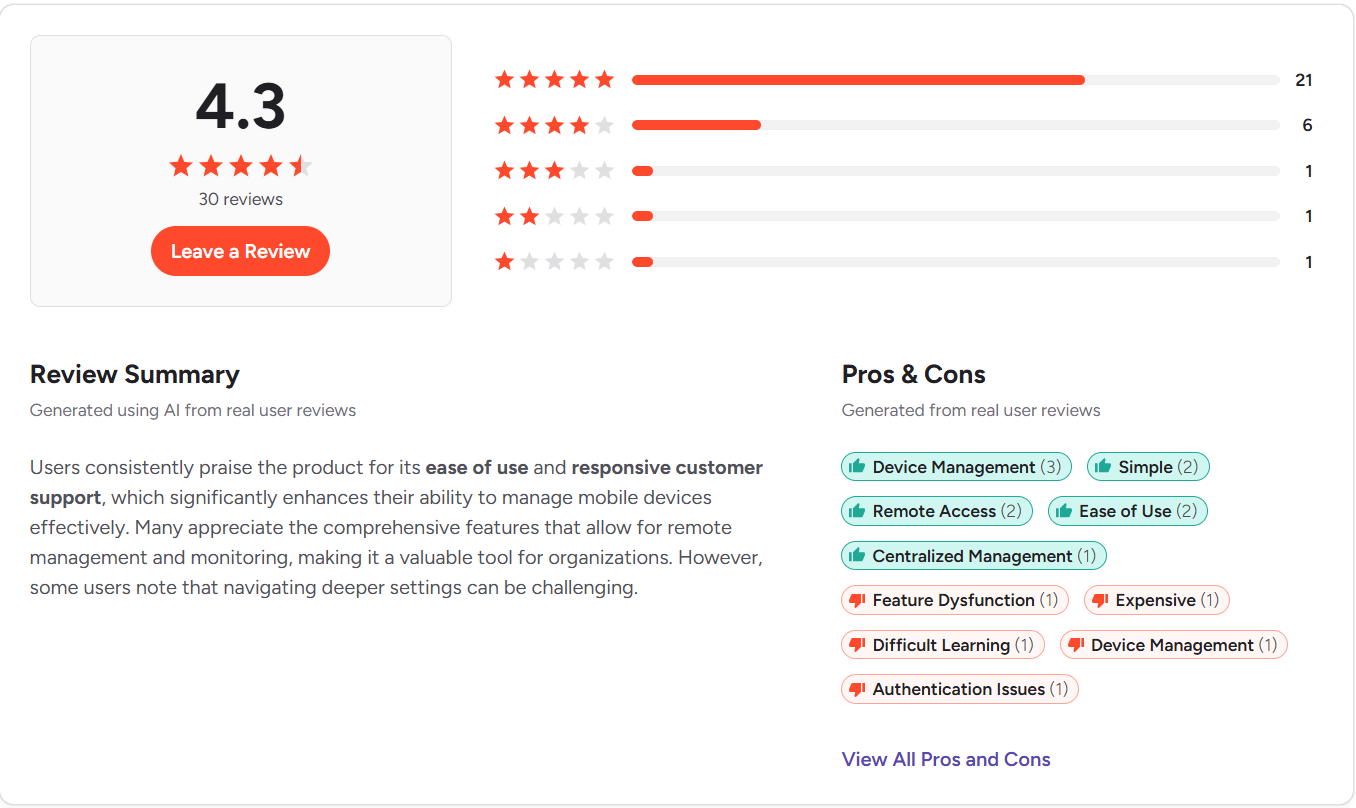
G2 Rating: 4.3/5 (30+ reviews)
Capterra Rating: 4.4/5 (25+ reviews)
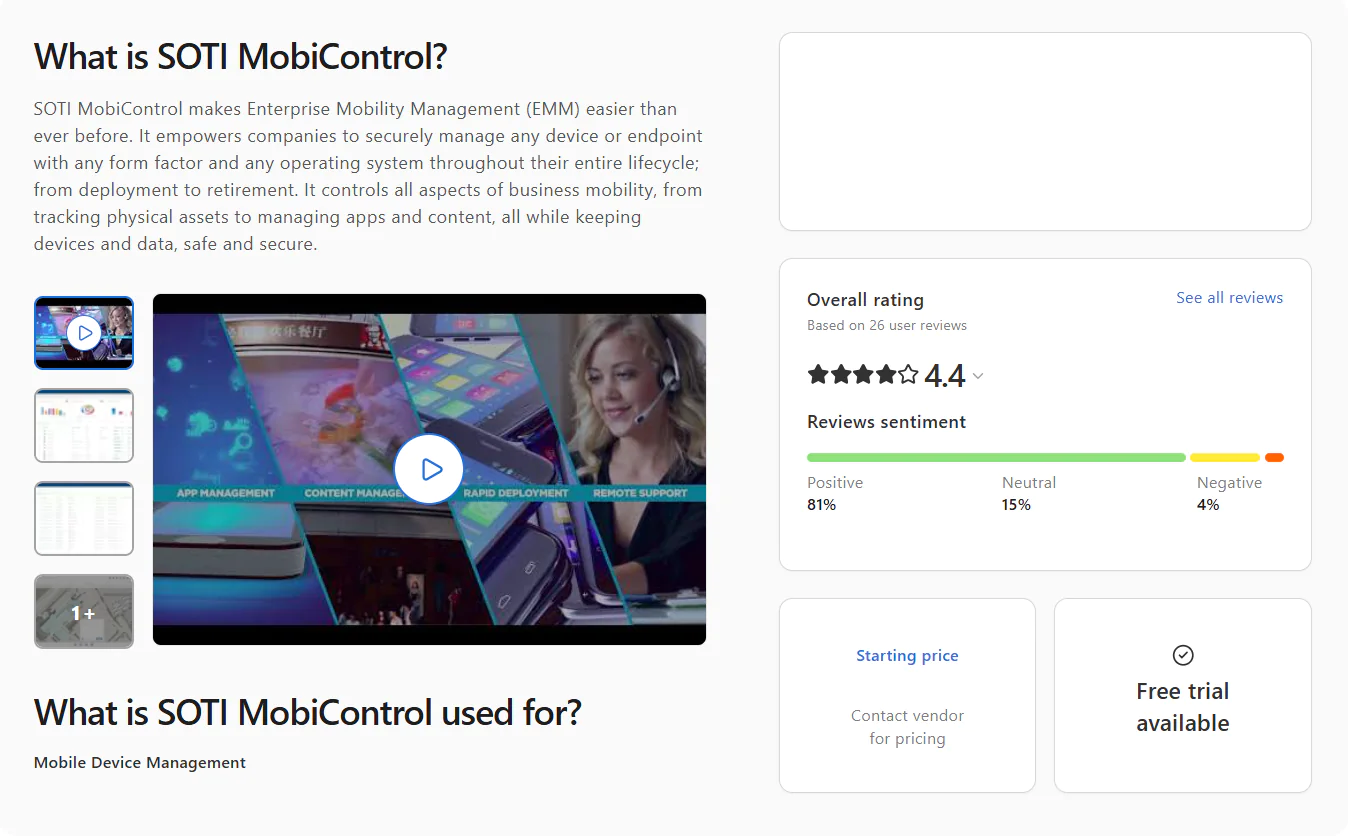
Note: Ratings reflect SOTI MobiControl, the core management component of the SOTI ONE Platform suite.
NinjaOne
NinjaOne is a cloud-native IT operations platform that brings remote endpoint monitoring, automated OS and third-party patching, software deployment and removal, scripting, and backup management together under one hood. The interface is clean, it uses a lightweight agent, offers a great set of automation features, and the whole thing is built with MSPs and hybrid IT departments in mind, giving them the scalability and flexibility to get the most repetitive tasks off their plate without investing in new hardware or manpower.
It works equally well across on-premises and remote endpoints, giving you real-time visibility into patch, compliance, and security status across your entire fleet. In short, it helps you complete routine endpoint management tasks faster, with greater efficiency and minimal manual effort on your part, while at the same time reducing your exposure to cyber threats, ensuring operational stability across your environment, and helping you stay audit-ready at all times and avoid nasty surprises when regulatory bodies come knocking.
Key Features of NinjaOne:
- Cross-Platform OS Support – Windows, macOS, and Linux.
- Unified Endpoint Management – Desktops, laptops, smartphones, tablets, and servers, all managed easily from one place.
- Third-Party Patching – Automates patch deployment for hundreds of third-party applications across your managed endpoints.
- Risk-Based Prioritization – Ranks vulnerabilities using CVE numbers, CVSS scores, exploit context, and real-world threat intelligence so your team always knows which exposures to close first.
- Automation Flexibility – Build your own patching strategy around your environment’s specifics, with fewer downtime risks and less back-and-forth with your team.
- Endpoint Remote Control – Connect to and manage endpoints from anywhere with no VPN or local appliance required.
- Real-Time Reporting – Real-time visibility into patch and compliance status across every endpoint, with audit-ready reports ready in minutes.
- Asset Discovery and Management – Identifies and inventories hardware and software assets across your network so you always know what’s running and where.
- Mobile Device Management – For Android, iOS, and iPadOS. Whitelist or blacklist specific apps and remotely lock or wipe lost or stolen devices.
- Self-Service Portal – Lets end users submit tickets or find answers on their own, which cuts down the steady drip of repetitive requests landing in your team’s queue.
- Software Deployment and Removal – Bulk deploy or uninstall software titles across all your endpoints or a specific group with just a few clicks.
Pros:
- Automates OS and third-party patching across your entire fleet.
- CVE/CVSS integration means your team patches what actually matters first, not just what’s newest.
- Noticeably cuts the gap between spotting a vulnerability and closing it.
- On-premises and remote endpoints managed from one place, no VPN needed.
- Covers desktops, laptops, servers, virtual machines, and mobile devices without switching between tools.
- Grows with you as your endpoint count climbs.
- Reporting is functional but thin.
- The interface takes some getting used to before everything clicks.
- Scripting is on the basic side compared to some competitors.
- Reboot management has a few rough edges that users have flagged repeatedly.
- Rollback works fine on Windows, but on macOS and Linux it requires scripting or manual intervention.
- Patch deployment failures reported across G2 and Capterra reviews.
- Pricier than other alternatives with comparable features.
Pricing:
NinjaOne doesn’t publish its pricing publicly, so a conversation with their sales team is the only way to get actual numbers. There’s also a 14-day free trial available, so you can test the software and verify whether it solves your biggest pain points before purchasing a license.
NinjaOne Ratings:
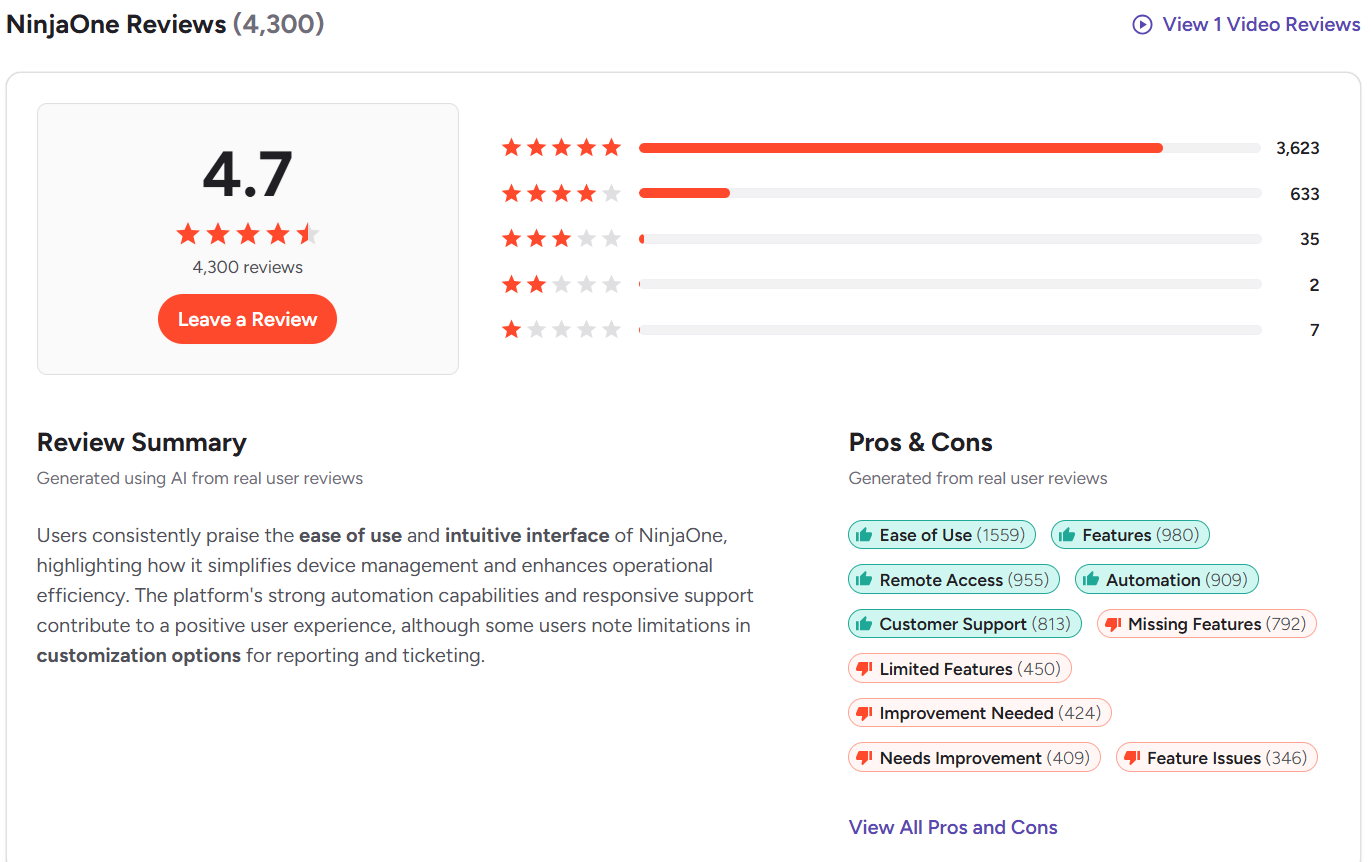
- G2 Rating: 4.7/5 (4,300+ reviews)

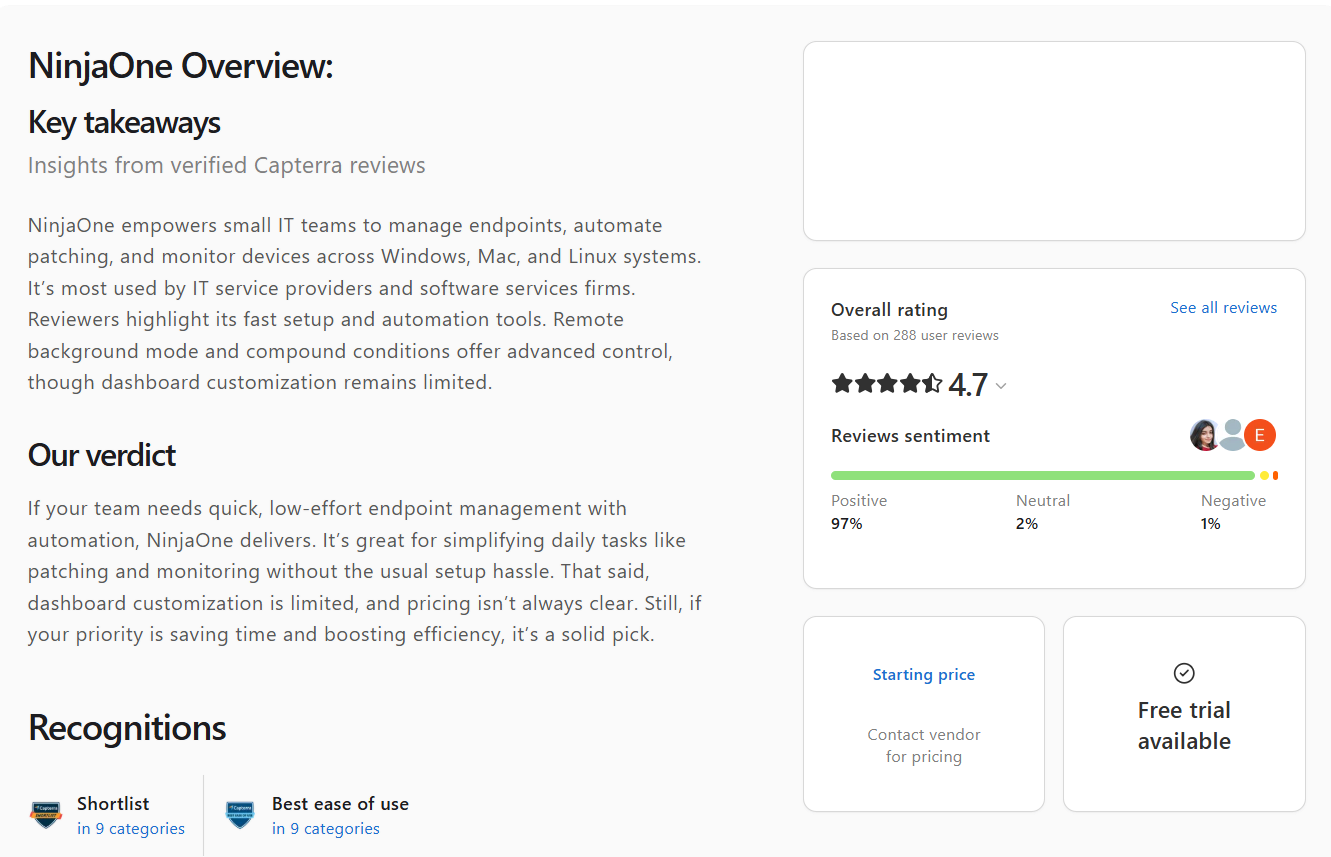
- Capterra Rating: 4.7/5 (285+ reviews)
How to Choose the Best UEM Software?
Choosing the best UEM solution depends on two factors: your environment and the features the platform provides. So you must first understand the specifics of your network, like your endpoint count, the operating systems in use, the third-party apps your organization relies on, the tasks you want to automate, and other areas of your IT infrastructure. Then you can start searching for a centralized platform that fulfills your expectations, solves your biggest pain points with the right features, and helps you monitor, manage, and secure each of your systems with minimal manual effort and maximum efficiency.
To help you focus on the things that actually matter in practice, we’ve put together a short list of capabilities that the best UEM software should offer you. Let’s get into it.
Device and Operating System Support
Cross-OS platform support is mandatory if your company relies on a mix of endpoints running Windows, macOS, Linux, Android, iOS, and iPadOS. Beyond OS coverage, the platform should also give you the ability to control desktops, laptops, servers, mobile devices, cloud workloads, and IoT devices from one place, so you can easily keep an eye on your entire device fleet, eliminate blind spots, and prevent vulnerability exploitation before it does real damage to your business.
Device Enrollment and Provisioning
The right UEM tool must be able to automate the deployment of software, security policies, configurations, and other settings both on the first boot and whenever changes are needed afterwards, which most traditional endpoint management platforms still don’t do. This lets you ship workstations directly to new employees and skip the onboarding meetings with the IT team entirely, since once the device boots for the first time it gets everything it needs automatically. A stable internet connection is all it needs for that to work.
Application Management
Beyond handling the initial device enrollment and provisioning, the software must let you install or uninstall applications remotely and whitelist or blacklist them as needed. It must also enforce data protection by setting boundaries around what information your employees can access and stopping any attempt to transfer corporate data to personal devices, USB drives, or unauthorized apps. One important note. This feature shouldn’t break privacy rules, especially when employees use their own devices for work. It should only have visibility into the apps employees use during their workday, not their personal ones.
Patch Management
The best unified endpoint management platforms deliver enhanced security through end-to-end automation of the patching process for operating systems and third-party applications. They identify known software vulnerabilities, rank them based on severity, find the patches that remediate those flaws, and let you schedule testing and deployment at a convenient time to avoid business disruptions and unexpected downtime. You need full flexibility over creating endpoint groups for staged rollouts, deployment timing, reboot management, and defining success rate metrics to separate reliable patches from unreliable ones.
Once a patch is deployed, you must be able to use built-in report templates to generate the compliance documentation you need in minutes, so you’re audit-ready the moment regulatory bodies come knocking.
Remote Support and Troubleshooting
Look for a platform that offers built-in remote support and troubleshooting tools that work almost instantly without requiring lengthy configuration. Agent-based UEM platforms have that capability natively, since the agent installed on each endpoint gives you immediate control over the mouse, keyboard, and screen of any endpoint regardless of whether it’s in the same building or on another continent. That means fewer tickets sitting open, faster resolution times, and no more asking remote employees to describe what’s on their screen over a phone call.
Compliance Monitoring and Reporting
You should be looking for a platform capable of providing comprehensive visibility across your network through centralized monitoring, giving you real-time information about each endpoint with just a few clicks. What we mean by that is compliance status, patch status, device health, hardware and software inventory, IP address, MAC address, and more. This lets you know exactly what’s happening with each system around the clock and take action to resolve issues without extra complexity or wasting time gathering information through workarounds.
In terms of reporting, look for a platform that comes with built-in customizable report templates. Because it will let you generate different reports for different use cases or clients in minutes, without starting from scratch every time.
Automation Capabilities
UEM platforms are synonymous with automation, and that automation is one of the most direct ways UEM can enhance enterprise security at scale. They must automate endpoint discovery, patching, scripting, software management, monitoring, centralized policy enforcement, remote access, and audit-ready report generation. Importantly, you must have the ability to create reusable automations so you’re not rebuilding the same workflow every time you need to deploy a patch or install and uninstall software. Get that right across all your endpoint environments and you’ll find your team spending far less time on the tasks that used to eat up most of the workday.
Integrations
Unified endpoint management solutions alone aren’t enough to give you complete cyber protection. They lay the foundation for a monitored, secured, and up-to-date IT environment, and on that foundation you can layer XDR, MDR, PSA tools, vulnerability managers, integrated firewalls, and other security stack components. But for best results your UEM platform must be able to connect cleanly to your existing IT infrastructure and work alongside these tools seamlessly, so your security and IT teams are always working from the same picture rather than running into each other.
Pricing and Licensing
Look for a UEM platform that offers reasonable value for what it costs. There’s no single right answer on price since it really depends on each organization’s budget. The best way to find the right balance between price and value is to test the software firsthand before purchasing a license. So look for a platform that offers either a 30-day free trial or a permanent free tier. Also, double-check whether the final price includes all the features you actually need, because that one check alone can save you a lot of money, especially when you’re deploying across thousands of endpoints.
Best UEM Software by Use Case
If anyone tries to tell you that one UEM platform fits every environment perfectly, they probably work for that company. Below we’ll give you our honest take on where each platform actually delivers, so you can match the right tool to your specific environment and pain points.
Best UEM Software for Microsoft-First Organizations
The best UEM software for Microsoft-first organizations is Microsoft Intune, and there’s no better choice here. If your company runs on Windows, or already pays for Microsoft 365 E3, E5, or Business Premium where Intune is included, and needs tight control over how employees access corporate apps and data on both company-owned and personal devices, Intune is the right call. You get Conditional Access through Entra ID that locks down who gets in and when, Windows Autopilot handles zero-touch provisioning, and MAM lets you protect enterprise data on personal phones without touching anything outside your managed apps.
Best UEM Software for Apple Device Management
The best UEM software for Apple device management is Jamf Pro. No other platform on this list comes close when your fleet runs entirely on Apple endpoints. It’s purpose-built for macOS, iOS, iPadOS, and tvOS, handles zero-touch deployment, automates the full patching cycle, enforces FileVault encryption, and gives you dynamic Smart Groups that make managing hundreds, if not thousands, of Apple devices feel manageable rather than chaotic. Jamf Nation is also one of the strongest IT communities out there and can give you an answer to almost every problem you might face when managing, monitoring, or securing your Apple systems.
Best UEM Software for Mixed-Device Environments
The best UEM software for mixed-device environments is Action1. It supports Windows, macOS, and Linux systems, equips you with autonomous OS and third-party patching, real-time vulnerability management, software deployment and removal, scripting, advanced reporting, and remote access, all from a browser-based console with no VPN required. If your environment also includes iOS and Android devices, ManageEngine Endpoint Central is the stronger fit since it covers the same cross-platform desktop and server management but adds reliable mobile device management for iOS and Android on top of it.
Best UEM Software for MSPs
The best UEM software for MSPs is NinjaOne, because it’s literally built for these companies. It gives them all the management tools an MSP needs in one place, including RMM, patch management, MDM, and backup, with no VPN or local infrastructure required and real-time visibility into patch, compliance, and security status across every client endpoint. Add multi-tenancy, RBAC, MFA, and strong integration capabilities and you get everything an MSP needs to deliver safe and efficient services to its clients.
Best UEM Software for Small Businesses
The best UEM software for small and small-to-mid-sized businesses is Action1. It’s cloud-native, offers a free tier for up to 200 endpoints, fully featured, with no time limitations. It also comes with cross-platform OS support, autonomous OS and third-party patching, real-time monitoring, advanced reporting, scripting, software management, strong security features, risk-based vulnerability prioritization, and more. It doesn’t need a VPN or local appliances to handle off-site device management and comes with built-in remote desktop capabilities for resolving issues without anyone needing to be on-site. So without spending a single dollar, SMBs get one of the strongest UEM platforms on the market.
Best UEM Software for Enterprises
The best unified endpoint management software for enterprises is Action1. Designed for modern IT environments, it’s cloud-native, agent-based, and offers cross-platform OS support, autonomous patch management, software management, scripting, real-time monitoring, and advanced reporting, plus MFA, RBAC, multi-tenancy, a private software repository, P2P patch distribution, and the ability to deploy or decline patches and software at the organizational or department level.
It also offers a free tier for up to 200 endpoints, fully featured, with no time limitations, so you can test it firsthand in your environment, make sure it actually delivers what it promises, and then expand beyond the free tier by purchasing a license.
On top of that, the platform works equally well across desktops, laptops, servers, virtual machines, and cloud workloads regardless of their location. It’s also certified for SOC 2 Type II, ISO 27001, and TX-RAMP, so your organization stays protected and audit-ready at all times. It scales from 200 to 200,000+ endpoints at a gradually lowering per-endpoint cost, so growth never becomes a problem. And last but not least, it lets a single administrator monitor, manage, and secure thousands of endpoints without breaking a sweat, which makes it genuinely cost-effective at scale.
Frequently Asked Questions
What is the best UEM Software?
The best UEM software is Action1, because it supports Windows, macOS, and Linux, it’s cloud-native, and lets you monitor, manage, and protect your on-premises and remote endpoints from anywhere, directly in your browser. It automates patch management, software deployment and removal, scripting, and report generation, and offers genuinely useful features like update rings, P2P patch distribution, real-time monitoring, a private software repository, RBAC, MFA, and multi-tenancy. In short, with Action1 you can take complete control over the processes that typically eat half your workday, shape how they run, and let the platform complete them automatically. In practice, that’s exactly how UEM enhances enterprise security in real-world environments through a stronger security posture, a smaller attack surface, fewer cybersecurity risks, greater visibility across your environment, and almost no manual effort on your part.
What is the difference between UEM and MDM?
Unified endpoint management platforms let you control different types of endpoints from one place, including desktops, laptops, servers, cloud workloads, and mobile devices. Mobile device management, or MDM, does exactly what the name suggests and focuses specifically on managing smartphones and tablets running Android, iOS, or iPadOS. UEM platforms include MDM capabilities, but MDM solutions don’t work the other way around. An MDM tool can’t manage your desktops, servers, or cloud workloads, so if your environment runs more than just mobile devices, a UEM platform is the more practical and future-proof choice.
Can UEM software replace MDM?
Yes, UEM platforms can replace standalone MDM tools because they offer that capability natively and let you monitor, manage, and secure your mobile fleet from the same console where you manage the rest of your on-premises and remote endpoints.
Does UEM software include patch management?
Yes, UEM software includes patch management capabilities. In fact, most of these platforms automate the entire patching process end to end, covering both operating systems and third-party applications. They monitor every device in your environment, spot known software vulnerabilities, find the missing patches that fix them, and let you schedule testing and deployment at your convenience. Once patching is completed, you can generate audit-ready compliance reports in minutes using built-in customizable templates.
How We Evaluated the Best UEM Software?
We evaluated each platform based on four sources:
- Official vendor documentation and feature sets reviewed as of 2026.
- Current pricing pages verified directly from each vendor’s website.
- User reviews from G2 and Capterra, analyzing feedback from verified IT professionals, MSPs, and enterprise IT teams.
- Hands-on technical analysis of each platform across all major endpoint management and security capabilities.
No marketing tricks, no pushing you toward a particular vendor without a good reason. Just honest, practical information so you can make the right call for your environment before spending a single dollar.
Final Recommendation
Based on everything covered in this article, Action1 is the strongest all-around choice for organizations managing Windows, macOS, and Linux endpoints and those searching for autonomous patch management, real-time vulnerability management, strong security, advanced reporting, great automation flexibility, fast deployment timeframes, and an intuitive interface.
But if we’re being brutally honest, Action1 won’t resonate the same across 100 different organizations, and that’s exactly why specific use cases call for specific alternatives. Microsoft Intune is the right choice if your business is Windows-centric, you already pay for Microsoft 365, and you need strong MAM, MDM, and Conditional Access. Jamf Pro is the best pick for organizations running entirely on Apple endpoints. NinjaOne is in most cases the strongest choice for MSPs because it’s specifically built for them. And for large enterprises dealing with mixed device fleets running on different operating systems and subject to strict regulatory requirements, HCL BigFix and Omnissa Workspace ONE are where that conversation starts.
But remember that your company is unique, and you know better than anyone what you or your IT team needs to take security to another level, minimize your endpoints’ attack surface, stay audit-ready at all times, and cover a number of other critical areas unique to your environment. The right platform isn’t the one with the best marketing, the most reviews, or even the one we ranked first. It’s the one that solves your pain points, automates as many processes as possible, supports each of your endpoints and third-party apps, and lets you enforce security policies, use a least privilege access strategy, restrict apps or users, deploy or remove software, and generate regulatory compliance documentation in minutes, so compliance never turns into a last-minute scramble.
To find it, go back to the basics. Grab a pen and a piece of paper and write down how many endpoints you manage, which operating systems are in use, which devices need to be covered, which tasks are eating the most time, and what your biggest challenges are when monitoring, managing, and securing your endpoints. Then browse our list, or look beyond it, and find the platform that automates those specific processes, covers every device type and OS in your environment, and gives you the visibility and control you need without adding complexity or requiring months of implementation before it starts doing its job.





